Combination of VANET and 5G Simulation in NetSim
| Applicable Versions | NetSim Standard | NetSim Pro |
| Applicable Release | v13.1 |
TABLE OF CONTENTS
- Introduction
- Infographic
- NetSim Scenario
- Network Configuration
- Application Configuration
- Static Route Configuration
- Configuration File Structure
- Performing Simulation via command-line interface
- Analyzing results and viewing NetSim animation
Introduction
The global internet of vehicles market is growing rapidly, it is estimated to significantly increase its value by the next few years. Vehicular Ad hoc Networks (VANETs) have a central role in the development of Intelligent Transportation systems since vehicles can communicate with each other.
The vehicular communication architecture in NetSim is based on a combination of the IEEE 1609 standard and IEEE 802.11p standard. 802.11p standard defines PHY and MAC layers while upper layers are defined by IEEE1609.
The 5G library is based on Rel 15 / 3GPP 38. xxx series. 5G provides low latency communication and offers high data rate improving V2I (Vehicle to Infrastructure) connections
This article proposes a model integrating 5G for vehicular ad-hoc network management in NetSim.
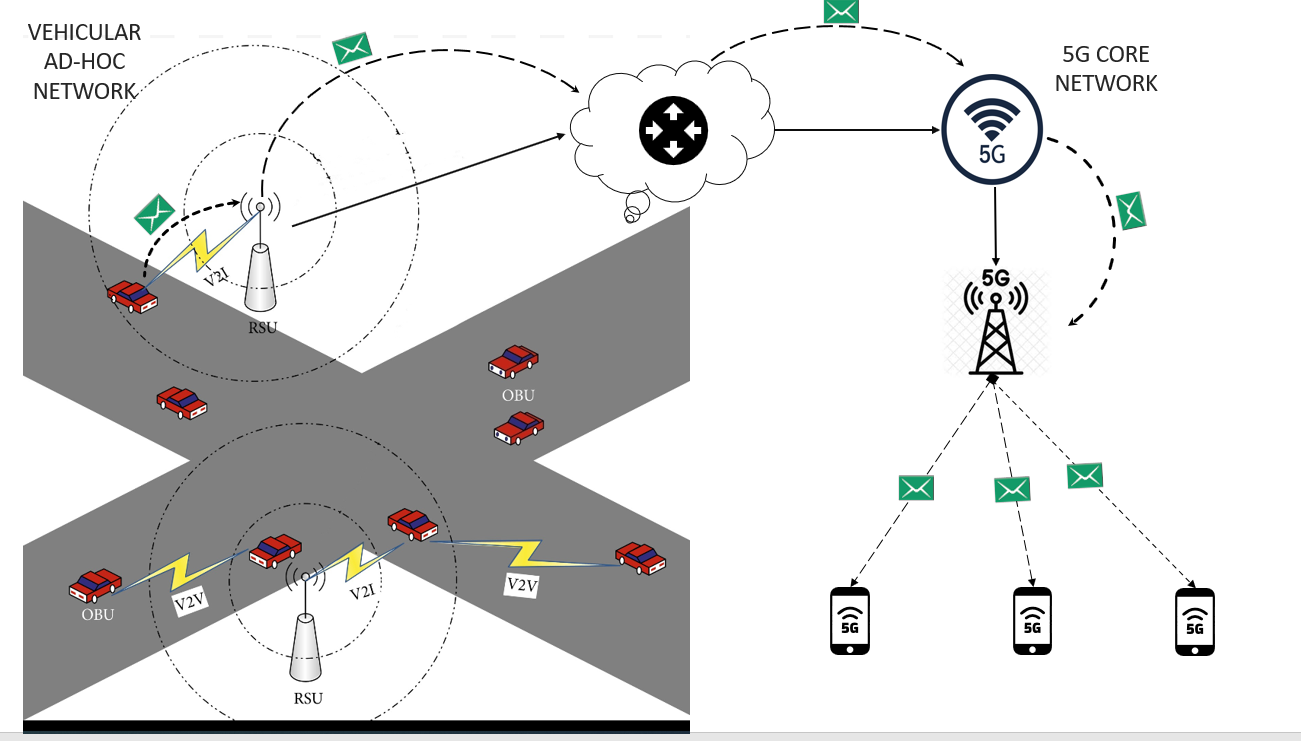
Infographic:
Combination of VANET and 5G,
NetSim Scenario:
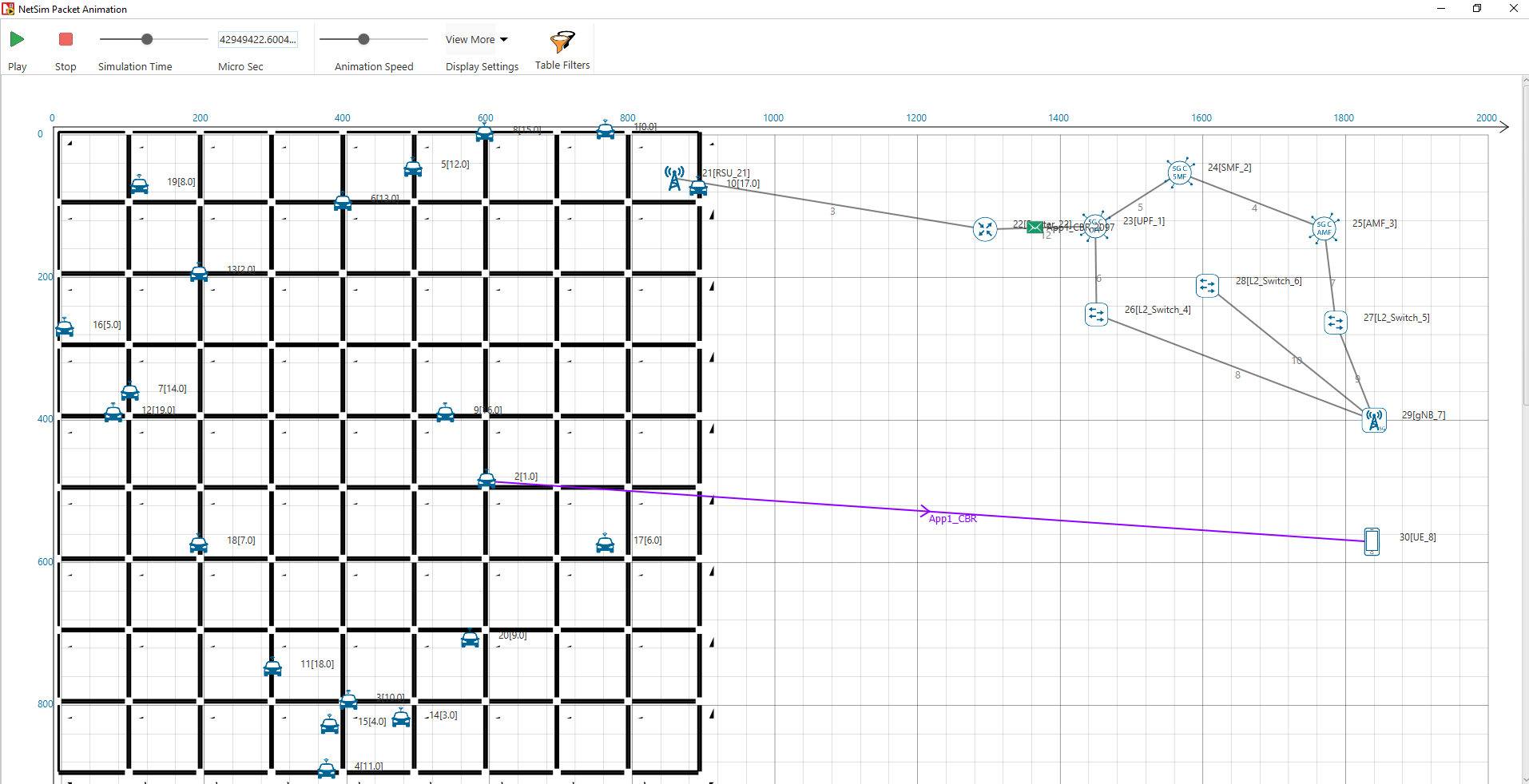
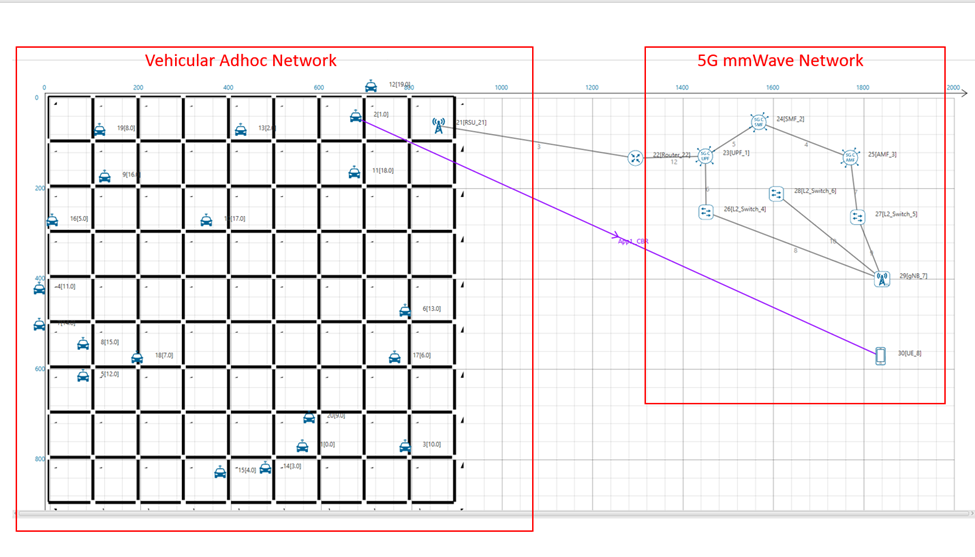
In this example, we are creating a scenario that is equivalent to the topology shown below. The flow of traffic is Vehicle-> RSU->Router->UPF->gNB->UE.
 Network Configuration:
Vehicle Properties | ||
Static Route | Enable | |
RSU Properties | ||
Static Route | Enable | |
Router Properties | ||
Routing Protocol | OSPF | |
5G-CORE Properties | ||
All Default Properties | ||
gNB Properties | ||
All Default Properties | ||
UE Properties | ||
All Default Properties | ||
Application Configuration:
Application Type | CBR |
Source ID | 2(Vehicle 2) |
DESTINATION ID | 30(UE) |
Transport Protocol | UDP |
Packet Size | 1460 bytes |
Inter Arrival Time | 20000 |
Static Route Configuration:
Static routes were configured from vehicle to Router since RSU doesn’t have any routing protocol to communicate with the router.
Device ID | Network Destination | Gateway | Subnet Mask | Metrics | Interface ID |
Vehicle | 10.0.0.16 | 11.1.1.21 | 255.255.255.255 | 1 | 1 |
RSU | 10.0.0.16 | 11.2.1.1 | 255.255.255.255 | 1 | 1 |
Configuration File Structure:
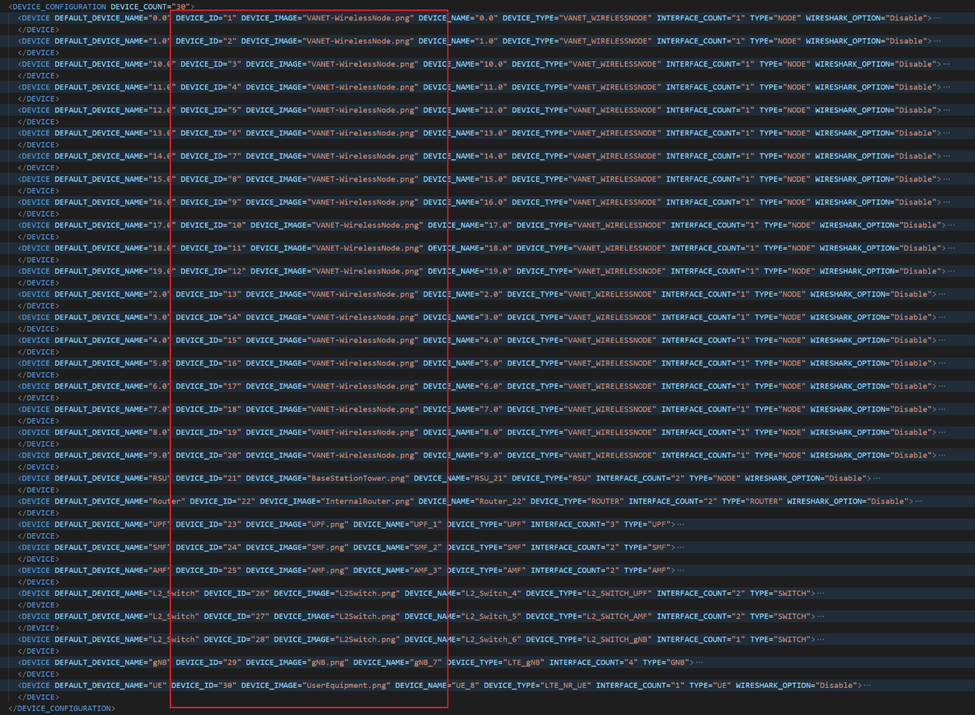
Device Configuration: This section of the configuration file contains all the device properties used for this example
Connection Configuration: This section of the configuration file contains all the connection properties from one device to another as shown in the scenario.
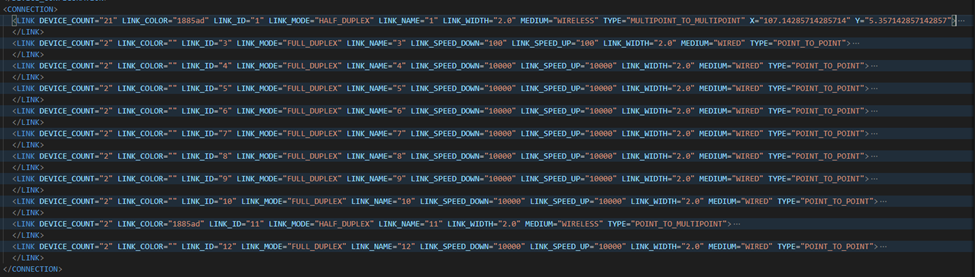
Application Configuration: This section of the configuration file contains information about the application properties. i.e., in this example its CBR Application from Vehicle to UE.

Note: All the screenshots attached above are of the configuration file of the example given in this document. And they are shown in the contract view (Visual studio terminology). Further users can expand each device, connection, and application properties for a detailed view.
More detail on understanding the Configuration file is explained in NetSim User Manual, Chapter 7, Section-7.2 Understanding the Configuration.netsim file.
Performing Simulation via command-line interface:
NetSim GUI does not allow combining the VANET and 5G toolboxes. Therefore, this combining is done via the configuration file. Once the configuration file is set up correctly, the simulation is then run via CLI.
Explanation on How to Run NetSim via CLI is explained in NetSim User Manual – Chapter 7 Running Simulation via Command Line Interface Section – 7.1.
Firstly, import the configuration file (attached) to NetSim. Explanation on how to import configuration files is given in User Manual Chapter 4 Workspace and Experiment section 4.10.
Once you import the experiment you can perform the simulation via CLI.
Analyzing results and viewing NetSim animation:
Both Results Dashboard and Animation Window (if enabled in the configuration file) can be opened via NetSim UI after simulating the scenario via CLI.
All the files related to Results and Animation will be generated in the folder where configuration.netsim was simulated.
For opening Result Dashboard open command prompt in NetSim Installation directory and run command that given below,
NetSimMetrics.exe %appdata%\NetSim\std_13.1

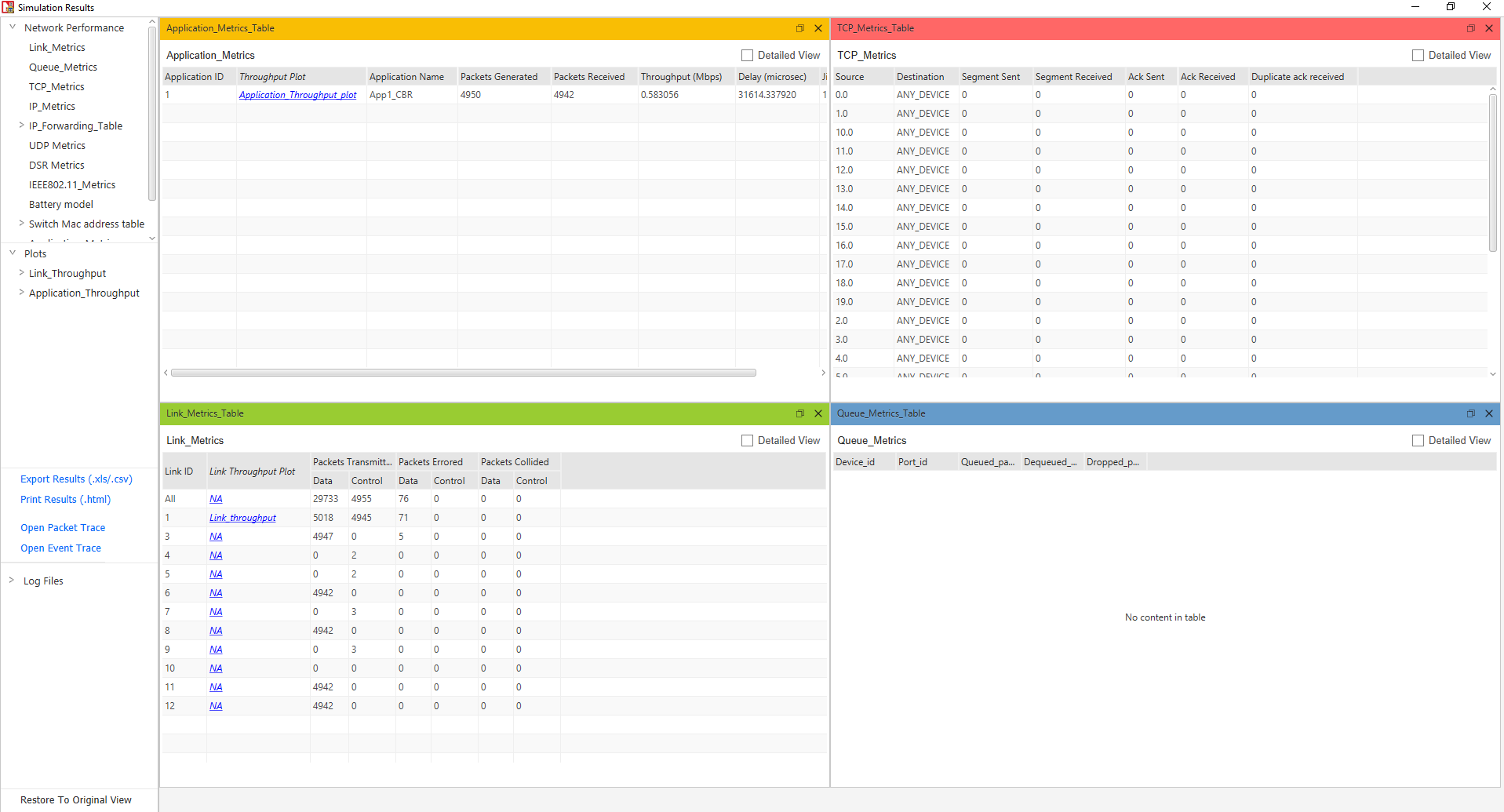
After opening Result Dashboard, open Animation window by running command that given below,
NetSimAnimation.exe %appdata%\NetSim\std_13.1