How can I log SINR, CQI, MCS into a file in NetSim 5G/LTE?
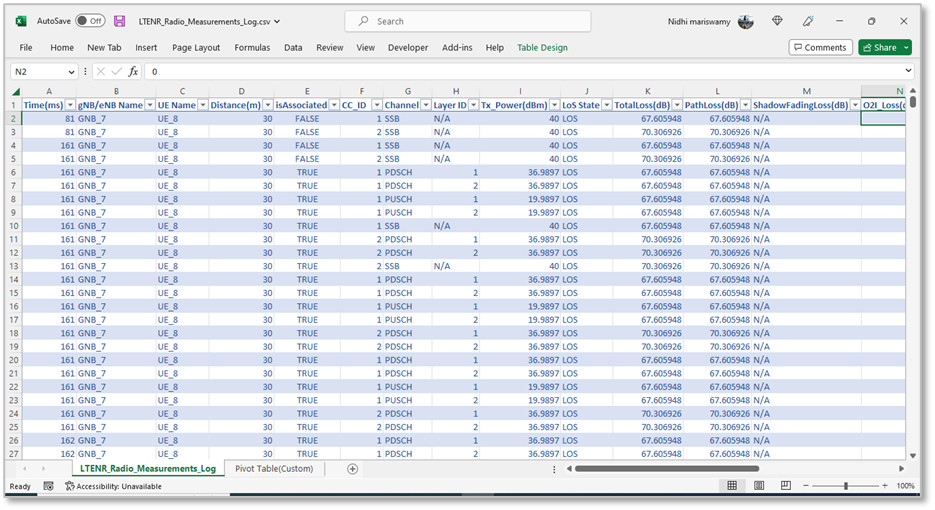
The radio measurements file logs SINR, SNR, CQI, MCS, interference, pathloss, shadow fading loss, and other parameters at each TTI into a CSV file. NetSim currently logs wideband CQI (not sub-band) since it models flat fading instead of frequency-selective fading. These measurements are recorded for the PDSCH and PUSCH, while only the SSB control channel is modeled to obtain SS-RSRP.
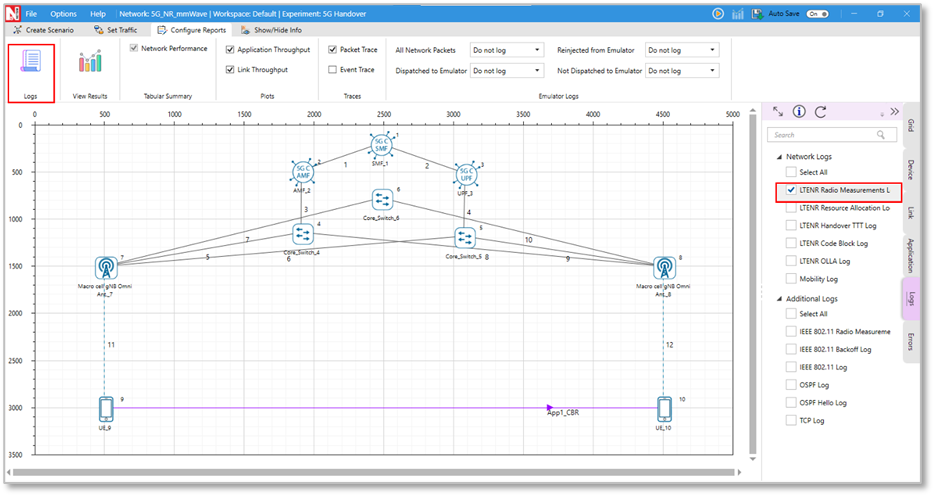
The Radio measurement log can be enabled by clicking on configure reports in the top ribbon > Logs > Select LTENR Radio measurement log as shown below.
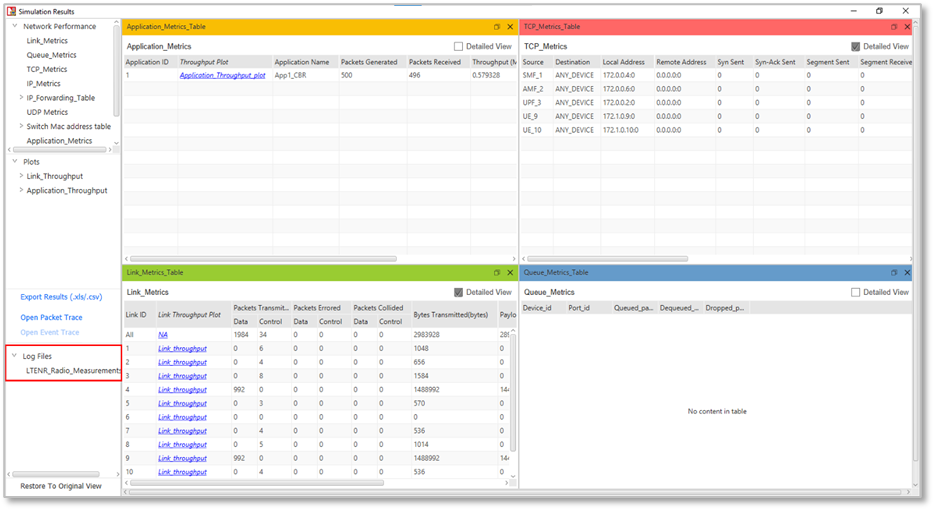
The log file can be accessed from the Simulations Results Window under the drop-down "log file" in the left pane.
The log file is shown below.
Useful links
1. NetSim 5G overview: https://tetcos.com/5g.html
2. Detailed documents: See the 5G manual in https://tetcos.com/netsim-documentation.html