How do I plot energy consumption over time for Sensor nodes for WSN/IoT networks?
Plotting Overall Energy Consumption in the Sensor Devices:
At the end of any network simulation in WSN/IoT networks in NetSim, a detailed Energy Consumption Metrics is provided as part of the Results Window as shown below:
Battery Model Metrics Table:
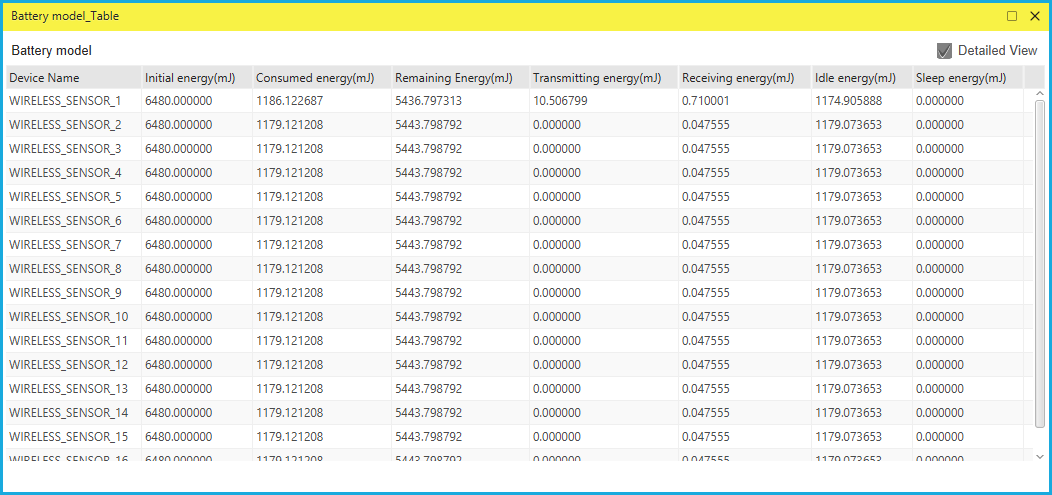
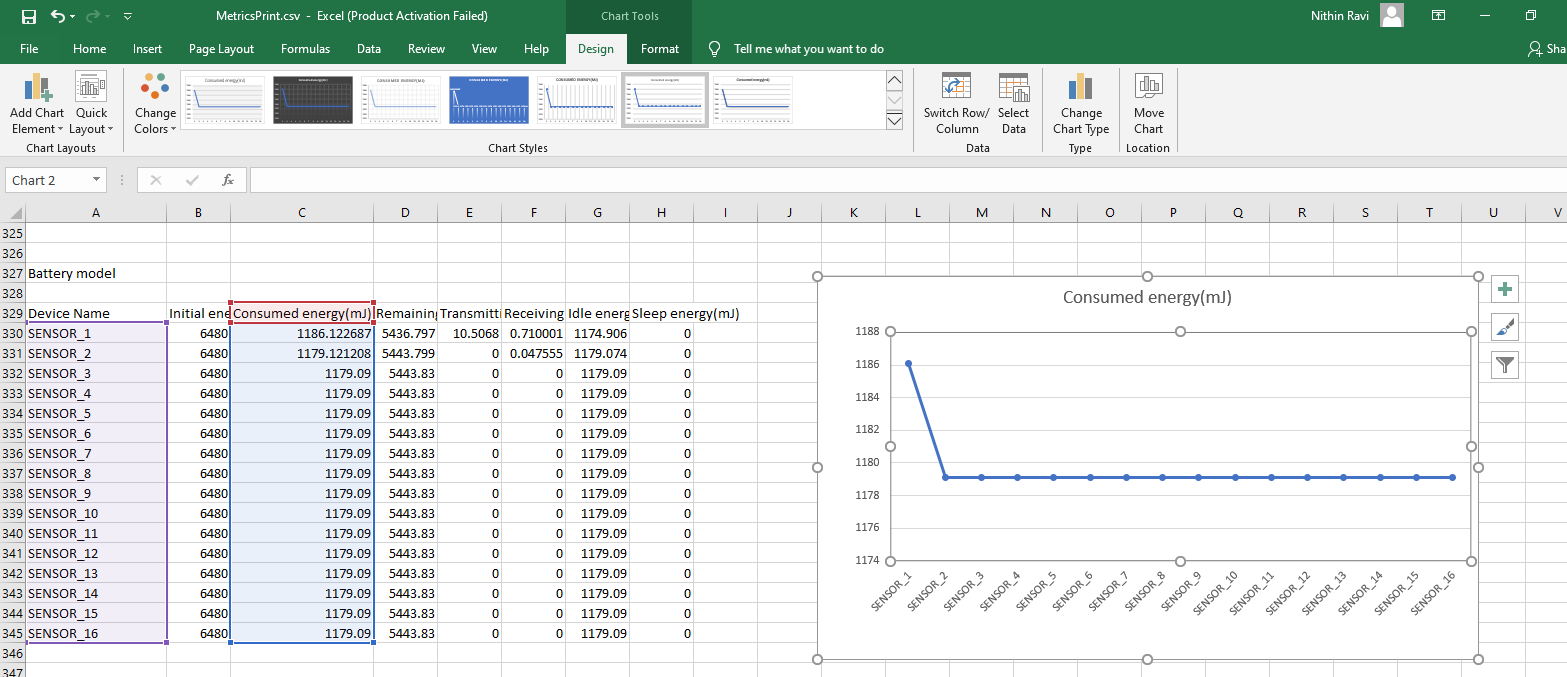
The columns Device Name and Consumed Energy(mJ) will be useful to obtain plots to compare the overall energy consumption between devices for the simulation performed.Please follow the steps given below to get Energy consumed by each node with respect to simulation time.
- Click on Export Results option available in NetSim Simulation Results window as shown below:
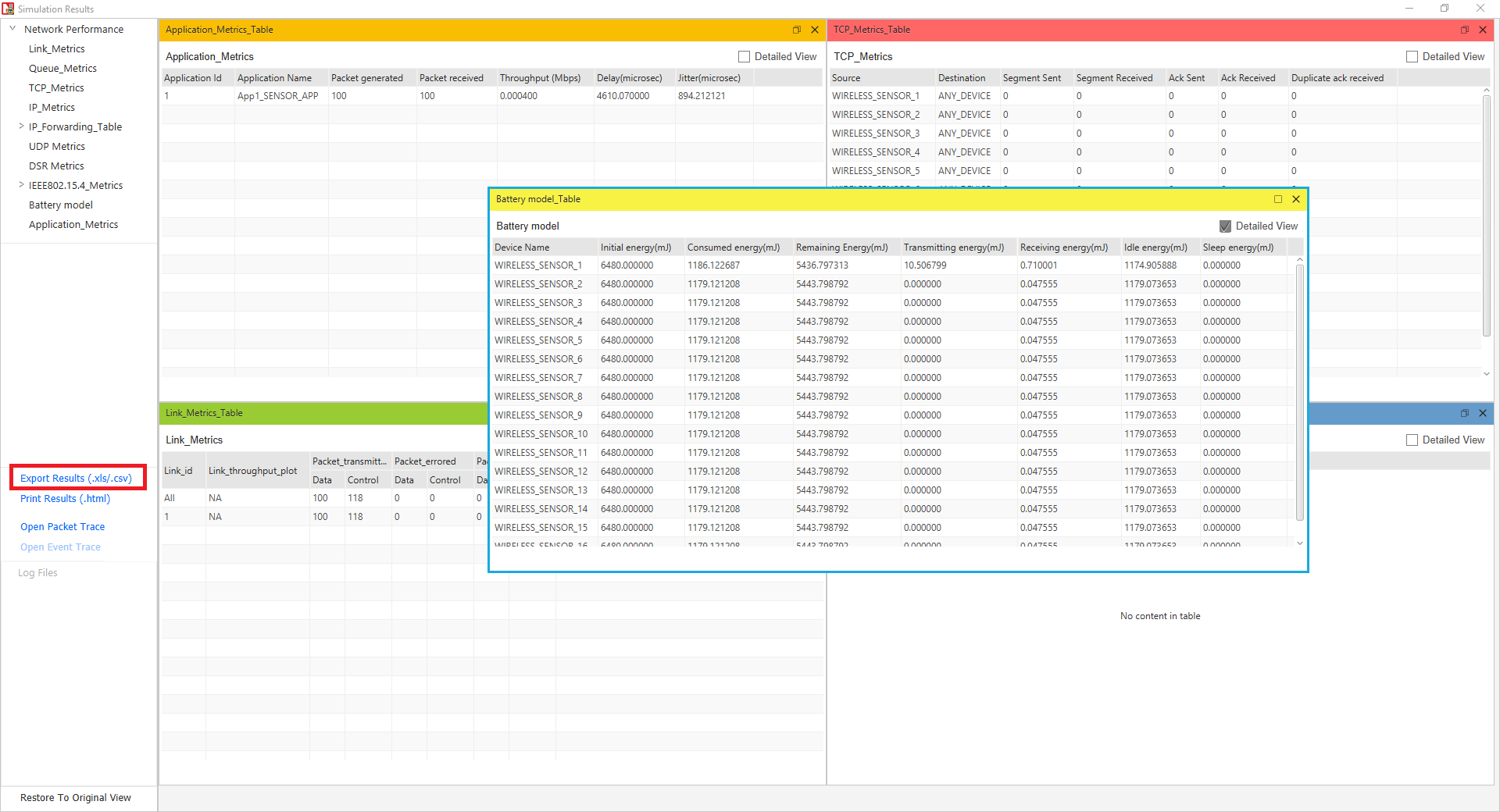
This will export all the metrics tables that are part of the Simulation Results window to a comma separated csv file as shown below:
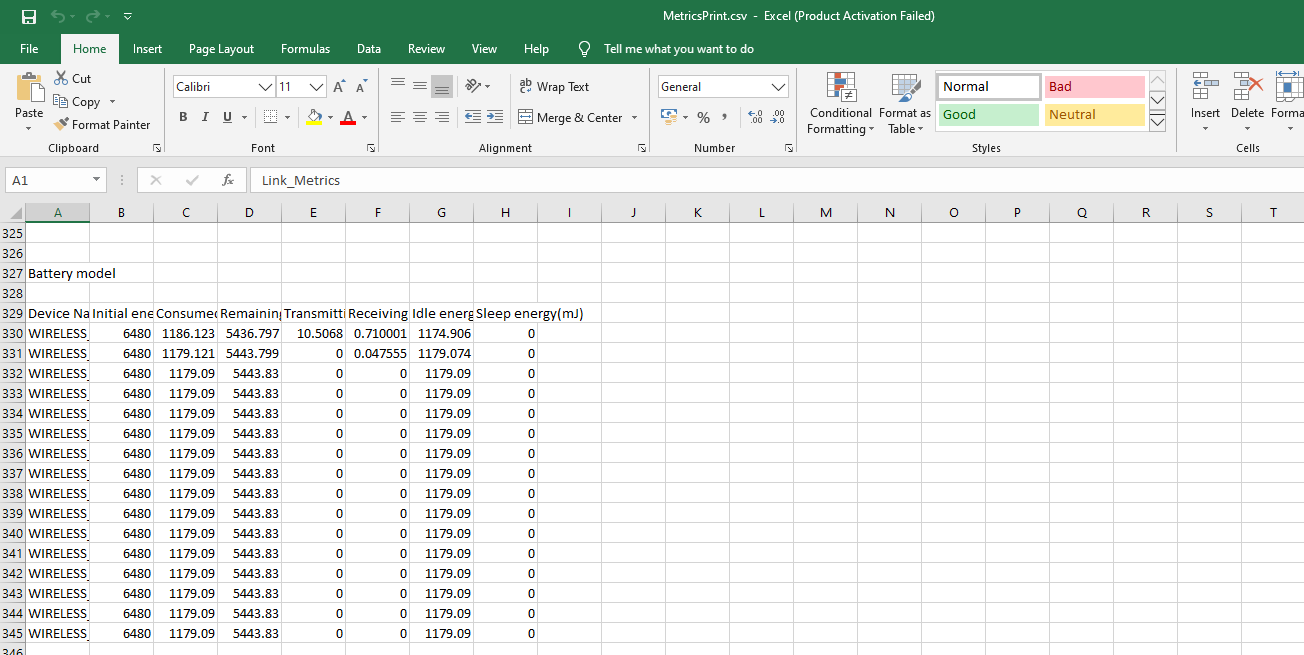
- In the section on Battery Model Metrics use the columns Device Name and Consumed Energy(mJ) to obtain a plot as shown below:
Plotting Individual Energy Consumption in the Sensor Devices:
If Packet animation is enabled, NetSim logs the energy consumption of individual sensors in a text file, which can be used for the purpose of plotting the energy consumption individually. Follow the steps given below to quickly obtain energy consumption plots for any sensor in WSN/IoT network:
- Save the network scenario after simulation with packet animation enabled.
- The saved directory contains individual energy consumption logs for each sensor node as shown below:
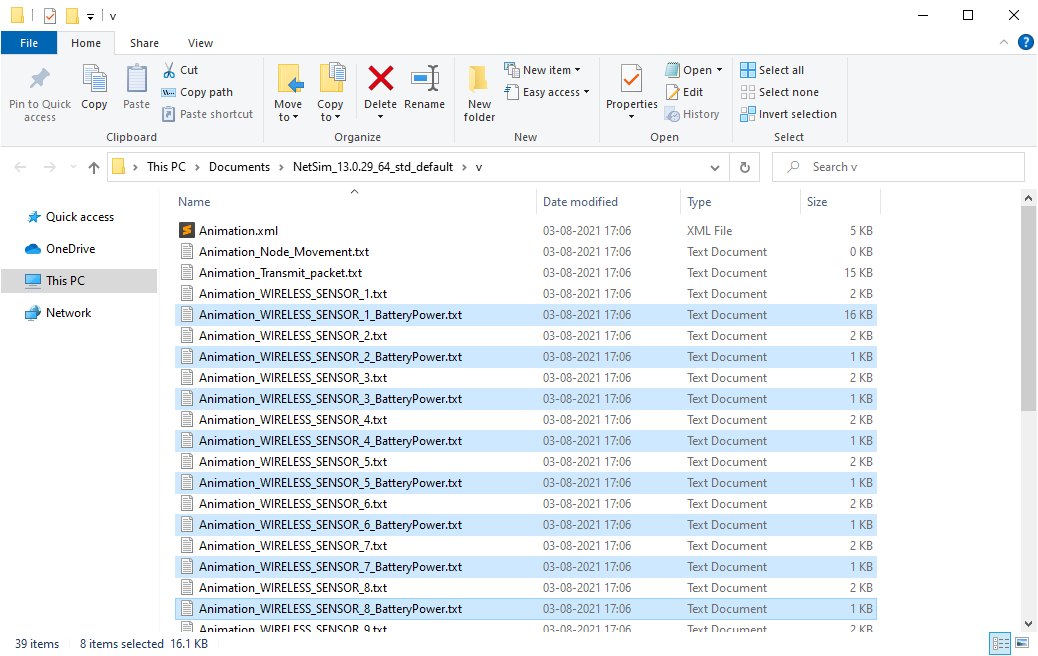
If the Energy consumption of Node 1 is to be plotted with respect to simulation time, follow the steps given below:
- Animation_WIRELESS_SENSOR_1_BatteryPower.txt log file can be found in the saved directory as shown in the above image.
- Make a copy of the file, keeping the original file unchanged.
- Change the file extension of the copied file from .txt (text file) to .csv (excel file) by renaming the file Animation_WIRELESS_SENSOR_1_BatteryPower.txt to Animation_WIRELESS_SENSOR_1_BatteryPower.csv as shown below.
- After this open the file in MS Excel as shown below:
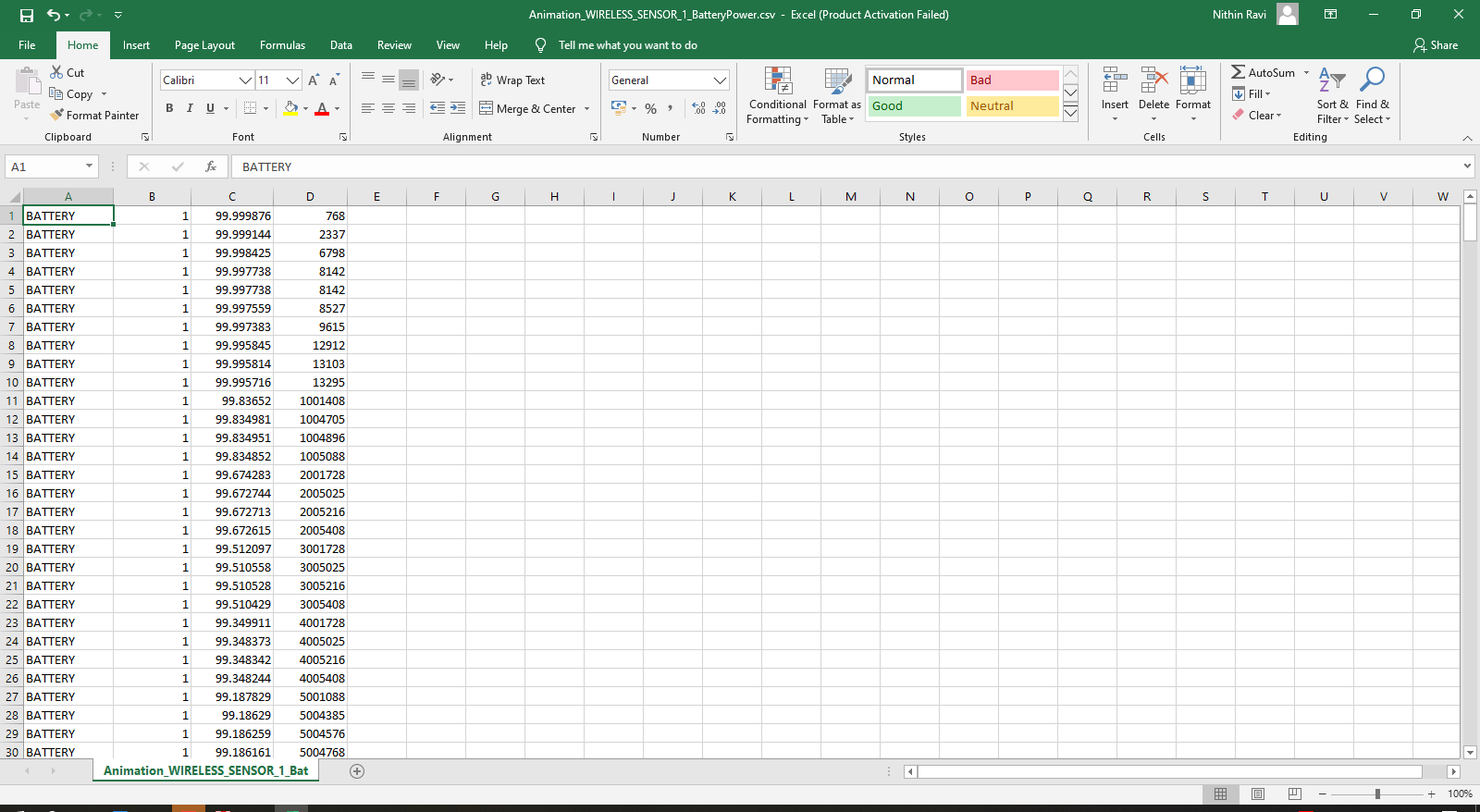
- Here Column A indicates the power source which is BATTERY by default, Column B indicates the Device ID of the sensor node, Column C indicates the percentage of remaining energy in the Sensor and Column D indicates the Simulation time at which the entry was logged.
- Interchange Column D and C as shown below (Refer: Rearrange the order of columns in Excel)
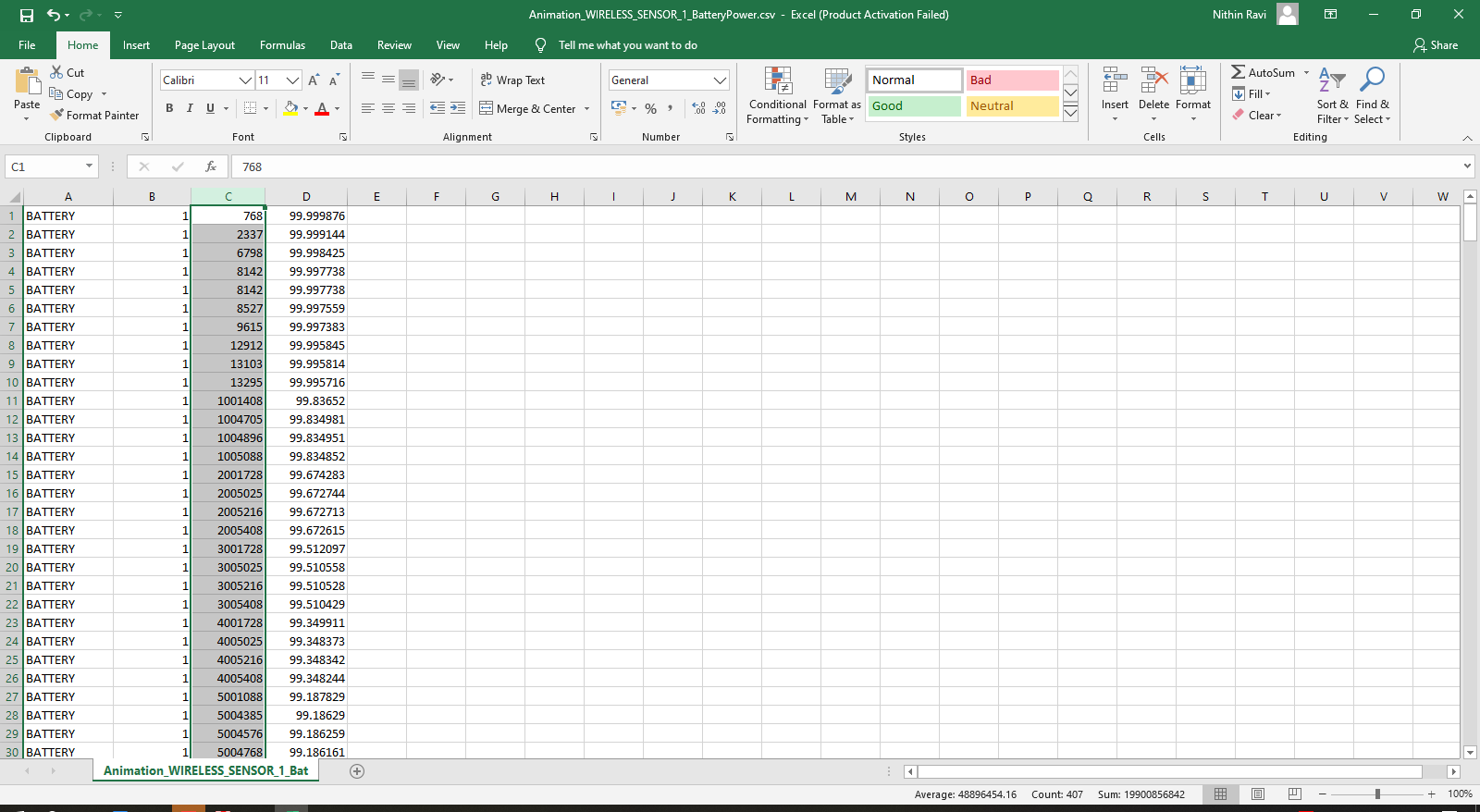
- Now use Column C - Simulation Time and Column D - Remaining Energy in the Sensor to obtain the individual energy Consumption plot for Sensor 1 as shown below:
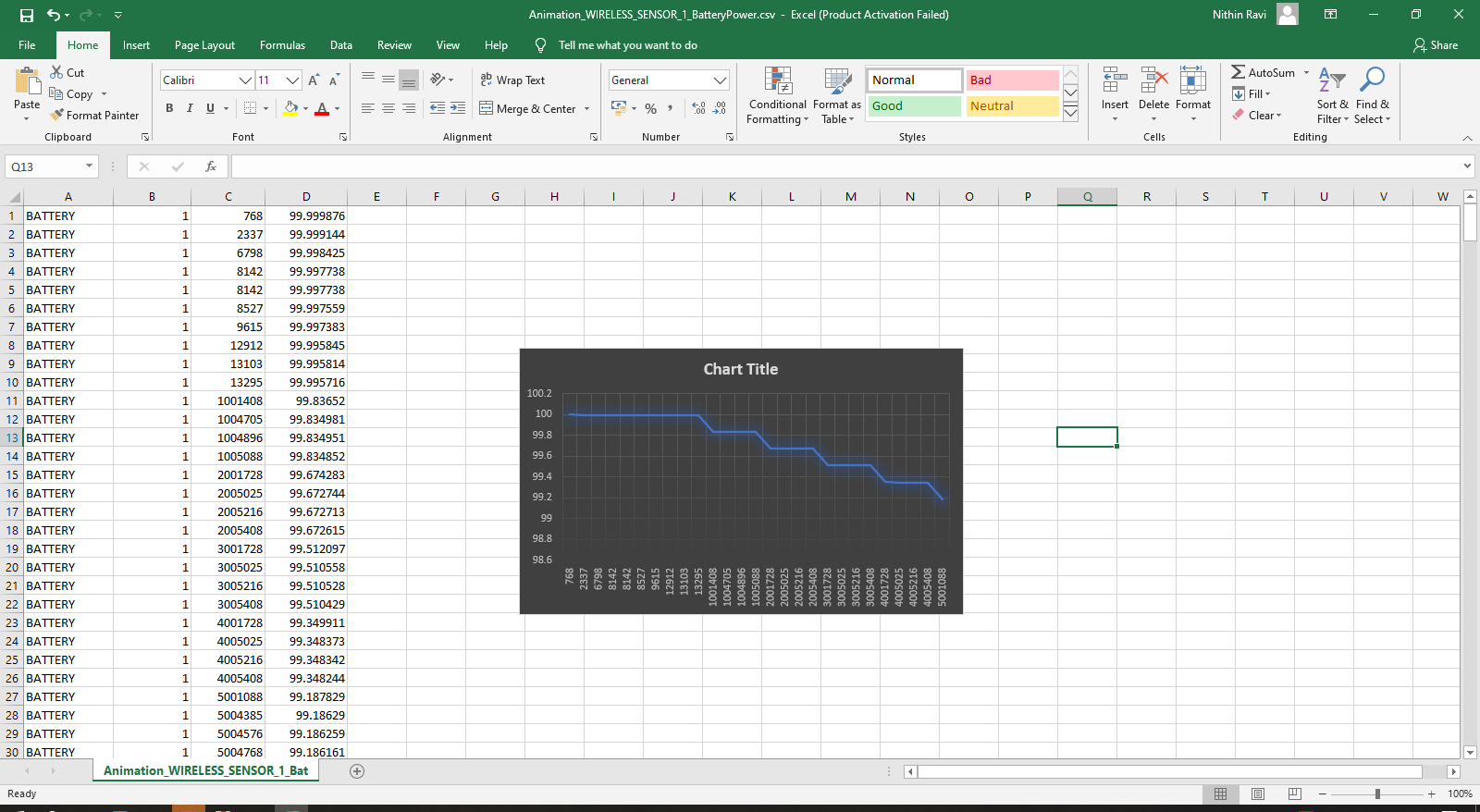
- In this manner, Energy Consumption can be plotted for individual nodes.
Note that the Animation_<Node name>_BatteryPower.txt log file contains the percentage of energy present in the sensors and this should not be considered as the actual value of remaining energy present in the sensors. The actual value of the remaining energy is available in the Battery Model Metrics present in the NetSim Simulation Results window.
The default settings in the energy model in NetSim IoT/ WSN library is based on Table 1 in the following paper:
Accurate Prediction of Power Consumption in Sensor Networks
Related articles:
where-is-energy-consumption-battery-model-in-netsim-wsn-iot-set-calculated-