How to add RSU/RTU in VANET simulations?
| Applicable Versions | NetSim Standard | NetSim Pro |
| Applicable Releases | v12.0 | v12.1 | v12.2 | v13.0 |
- NetSim VANET currently supports both V2V communications and V2I communications directly.
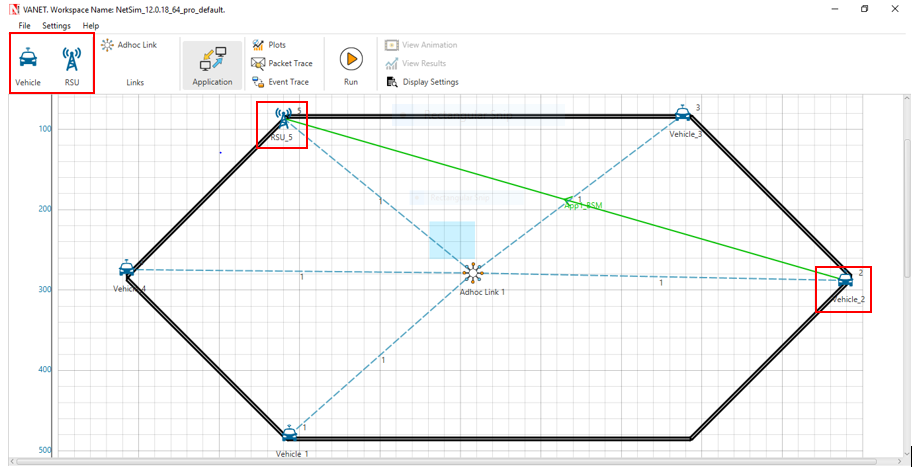
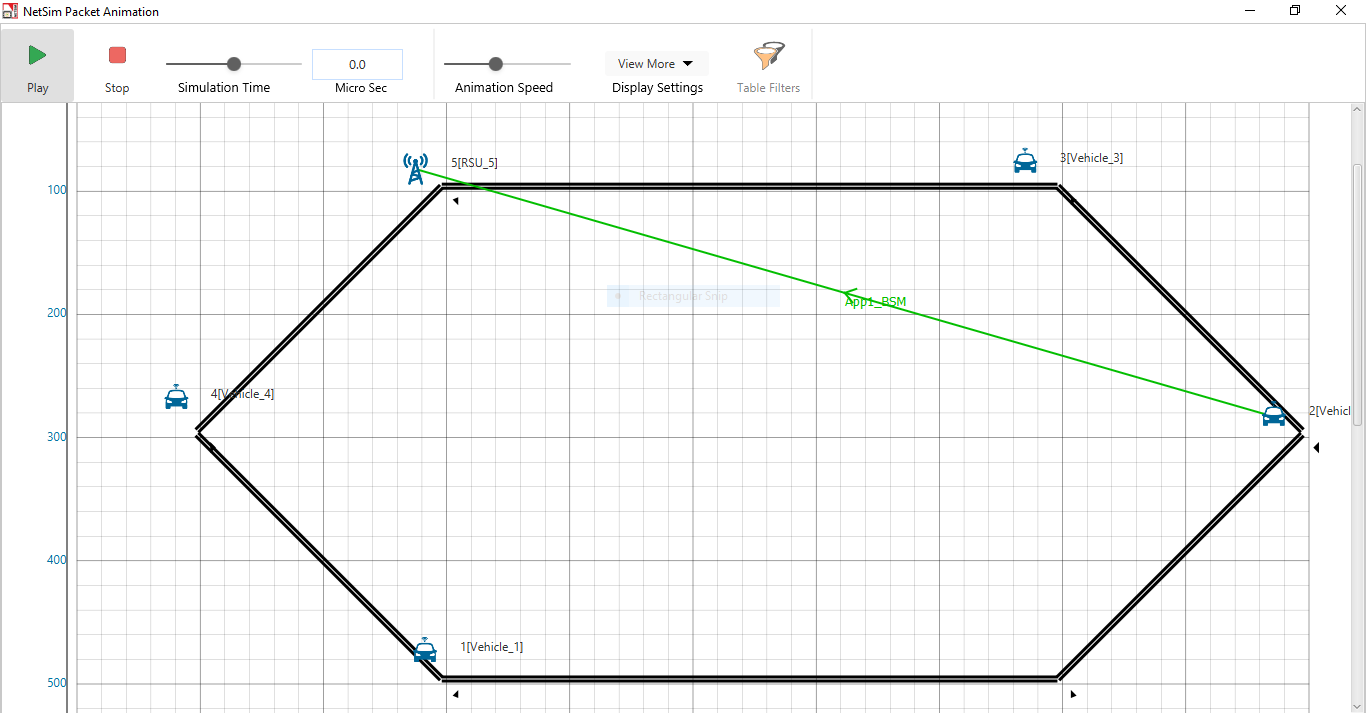
- Created any application between both V2V and V2I devices, In this example, we have created a BSM application and run the simulation. At the end of the simulation NetSim provides an animation window and result dashboard, below you can see this is the animation window Here we can see the flow of packet from source to the destination it means a vehicle to RSU
| Applicable Releases | v11.1 |
In VANETs, vehicles and roadside units (RSUs) are the communicating nodes, providing each other with information, such as safety warnings and traffic information. Both types of nodes are dedicated short-range communications (DSRC) devices. You can model network traffic between vehicles V2V and between vehicle to infrastructure V2I.
Steps involved in adding RSU/RTU in VANETS are:
Step 1: Import or configure a VANET Scenario.
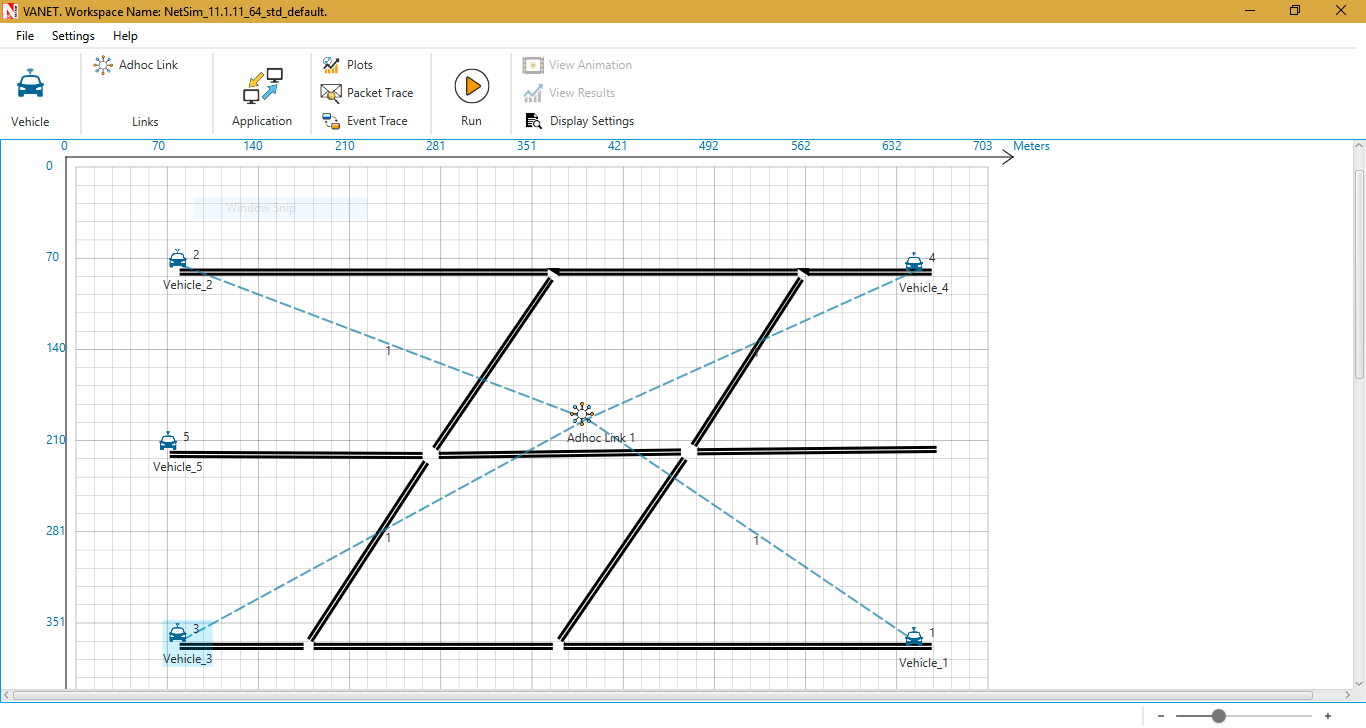
Step 2: After importing/configuring vehicles, click and drop additional VEHICLES and connect it to Adhoc network using Adhoc Link present in the ribbon
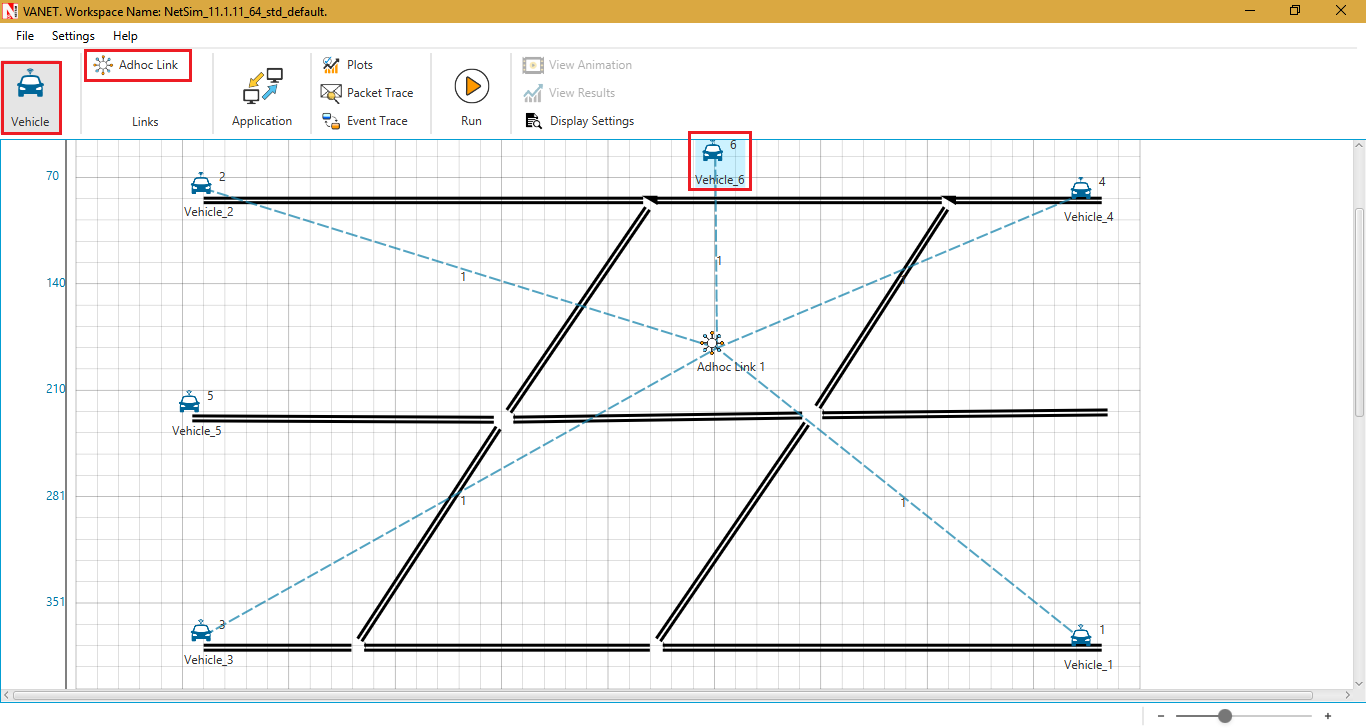
Step 3: In the newly added vehicle, set the mobility model to "NO MOBILITY" or any other mobility model other than SUMO with velocity set to "0". This would make the RSU/RTU static.
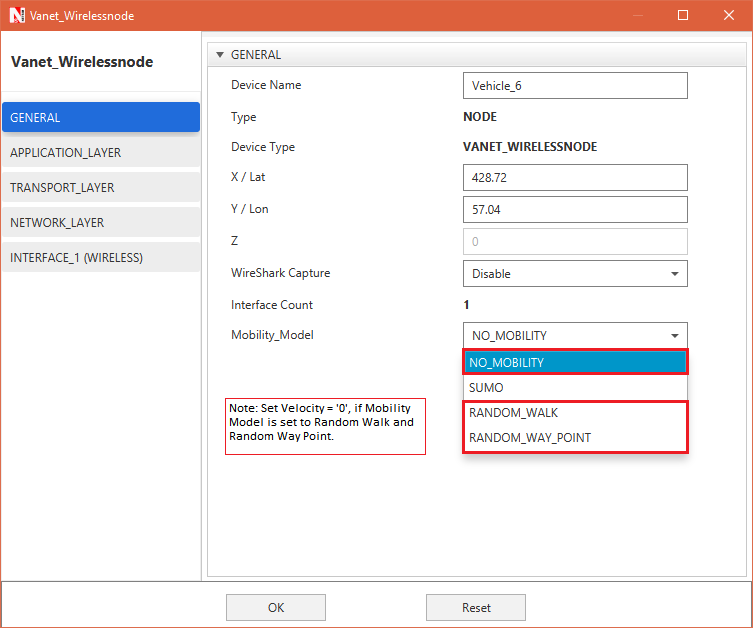
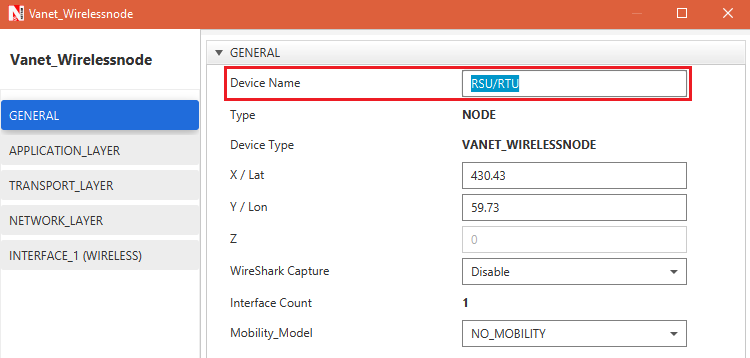
Step 4: User can then suitably change the icon of the device or can use existing icons from <NetSim_Install_Directory>/DOCS/ICONS folder. Right click on the Device click on Change Icon and also users can change device name from general properties
Right-click on RSU/RTU click on Change Icon: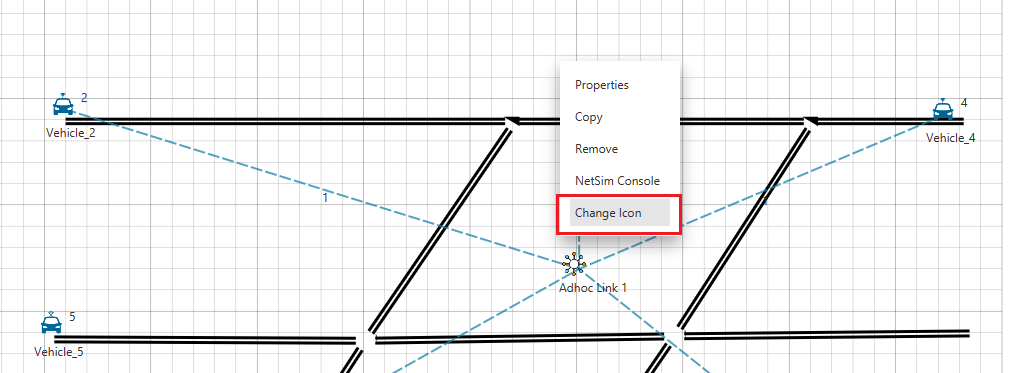
After changing the Icon:
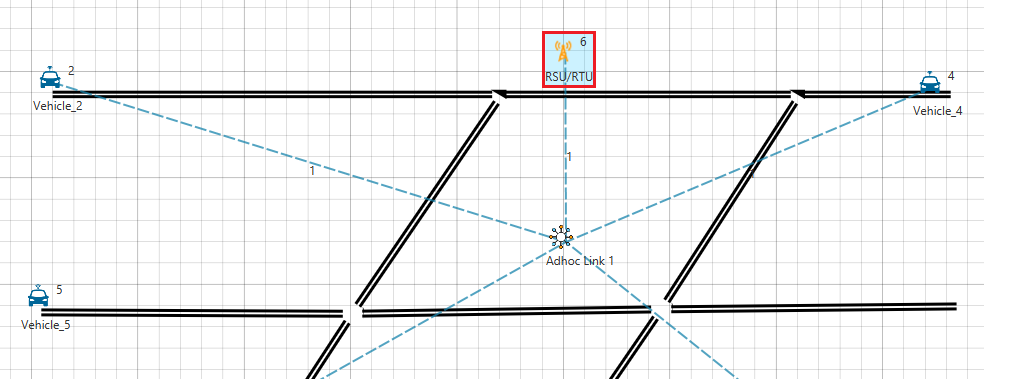
Step 5: Configuring Traffic and Running simulation between vehicles V2V and between vehicle to infrastructure V2I.
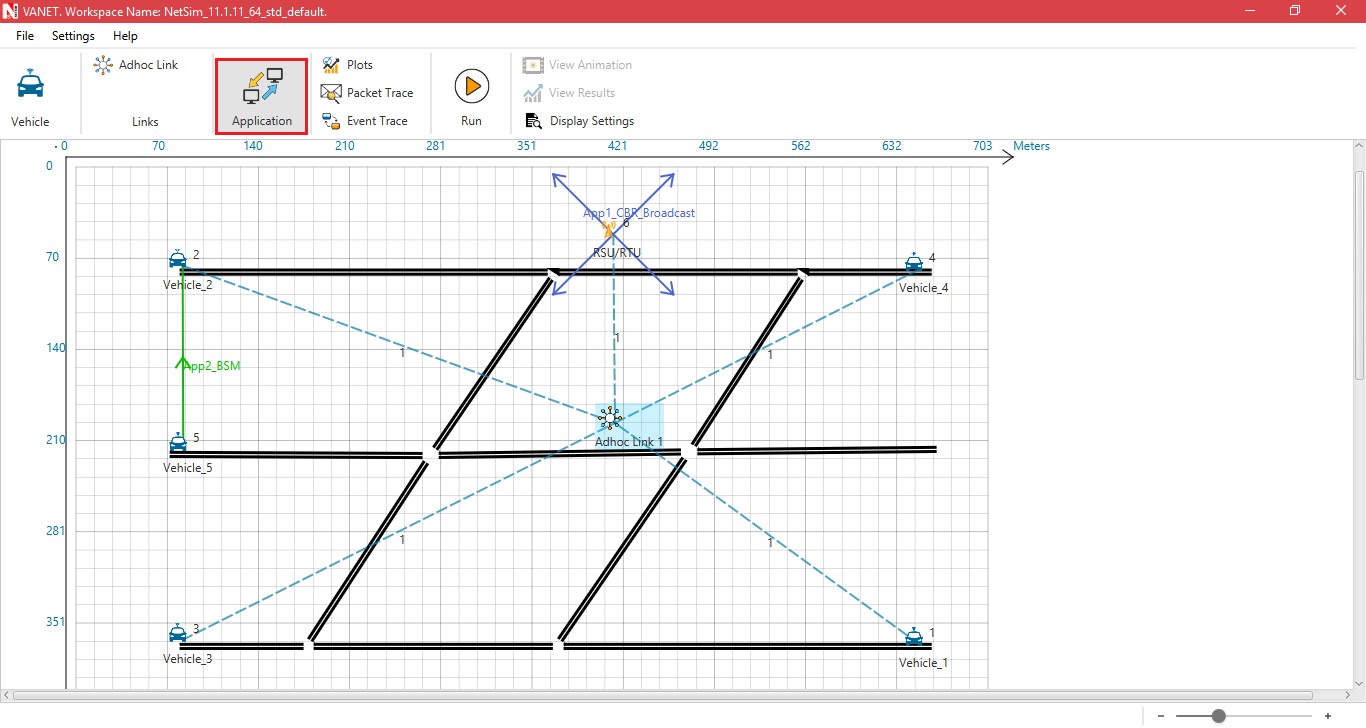
- Click application icon
- Configure traffic between the vehicles or between vehicles and RTU/RSU's as per your requirement.
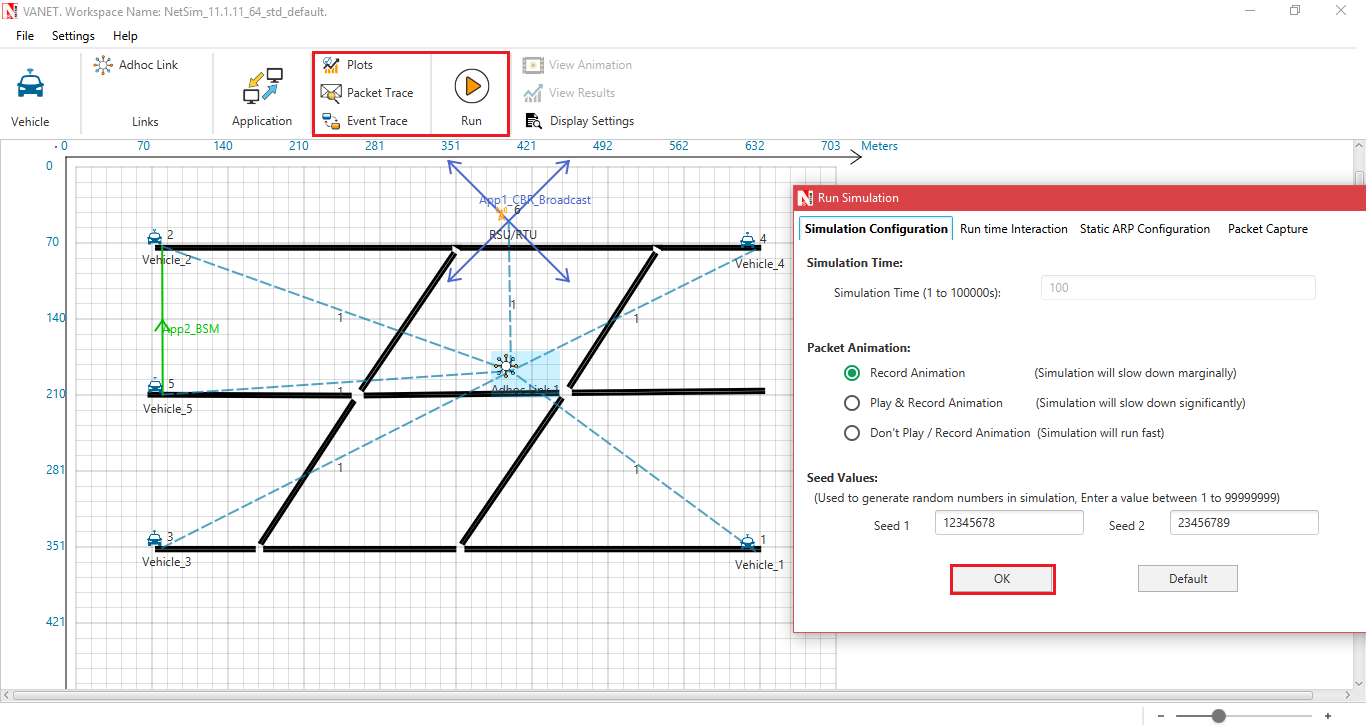
Step 6: Enable advanced features - Packet Trace, Event Trace, and Dynamic Metrics optionally. Click on Run Simulation
 Related articles: