How to change static routes over time?
This can be done using NetSim's interactive simulation feature. All commands that are supported in NetSim Device Console as part of interactive simulations, can also be passed as input to NetSim in a text file. The added advantage in this approach is that it offers more control to the user with the time and device parameters.
Users can specify the exact simulation time at which the command has to be executed and the name of the device for which the command is to be executed.
Format of entries in file input to Interactive Simulations in NetSim:
TIME=<SIMULATION TIME IN SECONDS>
DEVICE=<DEVICE_NAME>
<COMMAND TO BE EXECUTED>
TIME=<SIMULATION TIME IN SECONDS>
DEVICE=<DEVICE_NAME>
<COMMAND TO BE EXECUTED>
For example, let us consider the above MANET network involving 4 Wireless nodes. Traffic is configured between Wireless_Node_1 and Wireless_Node_4.


Alternatively, if we want to route the packets from Wireless_Node_1 via Wireless_Node_2 from time 1 second, we can use the following commands:
TIME=1
DEVICE=Wireless_Node_1
route add 11.1.1.4 mask 255.255.0.0 11.1.1.2 metric 1 if 1
The above lines implies that, at time 1 Second, in device Wireless_Node_1, a new route to the node with IP 11.1.1.4 (Wireless_Node_4) will be added via the device with IP 11.1.1.2 (Wireless_Node_2). The above lines can be written in a text file (*.txt) and provided as input to NetSim before running the simulation as explained below:
- Create a network scenario in MANETs as shown above. Configure traffic and enable packet trace log file.
- Create a text file and write the commands as explained above:

- Click on Run button to get the Run Simulation window as shown below:

- Switch to the Run time Interaction tab and select the option "True(Using File)" as shown below:

- In the File Path option, Use the Browse button, and locate the input file that you have created. You can also directly provide the path of the file the text box.

- Click on Accept and Click on Ok to start the simulation. Once the simulation is complete, play packet animation to see the packet flow:
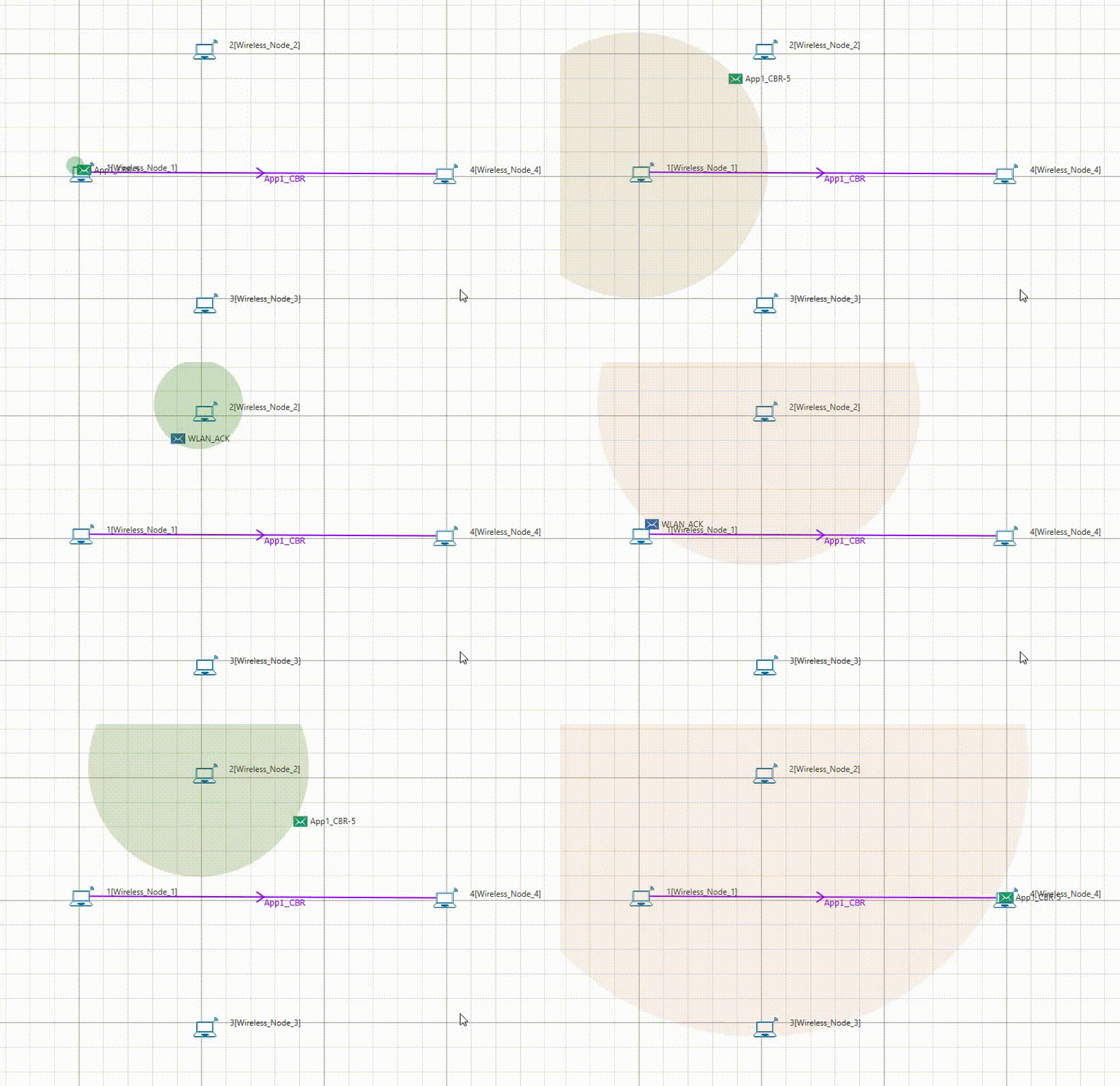
- As shown above, packets from Wireless_Node_1 will start getting routed via Wireless_Node_2 from time 1 Second. Routes taken by the packets can also be analyzed using NetSim Packet Trace log file as shown below:

- Packets are initially sent directly from Node 1 to Node 4, whereas from time 1 second(the trace displays time in microseconds) onward, packets reach the destination via Node 2, i.e Node 1->Node 2->Node 4
- Similarly routes can be modified during run time.
- If packets are to be routed via Node 3 after time 5 seconds then the input file can be written as shown below:
TIME=1
DEVICE=Wireless_Node_1
route add 11.1.1.4 mask 255.255.0.0 11.1.1.2 metric 1 if 1
TIME=5
DEVICE=Wireless_Node_1
route add 11.1.1.4 mask 255.255.0.0 11.1.1.3 metric 1 if 1
- Upon running simulations with the above input, packets will be routed as highlighted in the packet trace log file shown below:
