How to Set Fixed MCS in NetSim in WiFi
This Example shows how to set the Fixed MCS for the Data and Control Packets in NetSim
Open NetSim > Your Work > Source Code > Open Code
Step 1: Open NetSim > Your Work > Source Code > Open Code
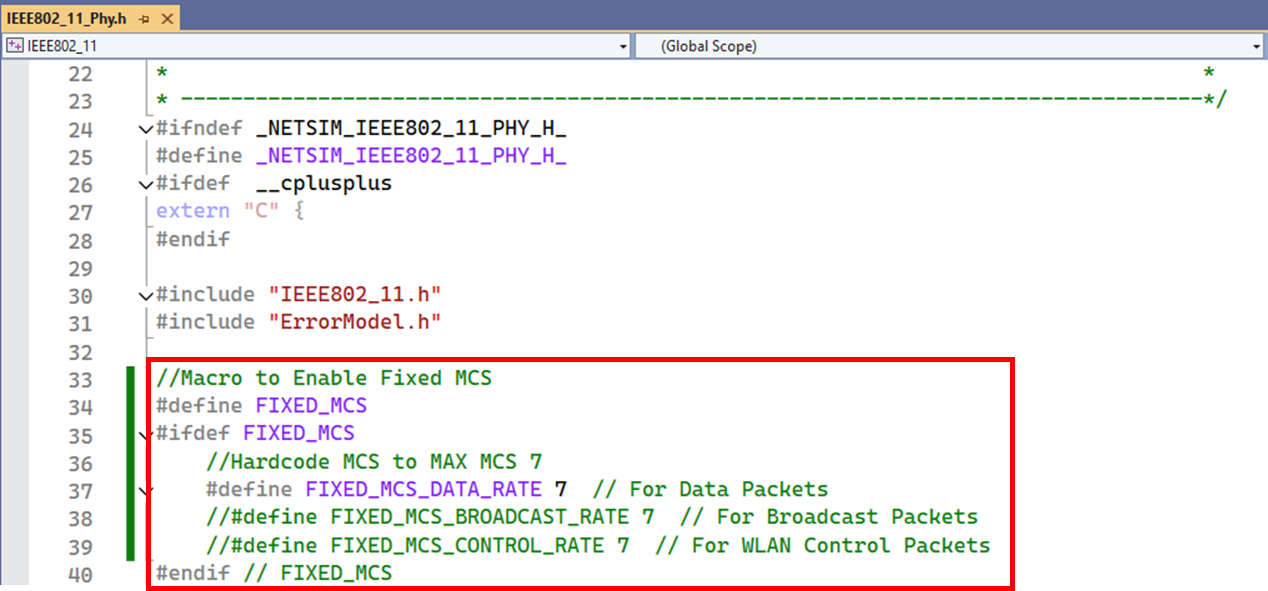
Step 2: Expand IEEE802_11 Project > Open IEEE802_11_Phy.h file and insert the below code as shown in image below
//Macro to Enable Fixed MCS
#define FIXED_MCS
#ifdef FIXED_MCS
  //Hardcode MCS to MAX MCS 7
  #define FIXED_MCS_DATA_RATE 7  // For Data Packets
  //#define FIXED_MCS_BROADCAST_RATE 7  // For Broadcast Packets
  //#define FIXED_MCS_CONTROL_RATE 7  // For WLAN Control Packets
#endif // FIXED_MCS
Step 3: Go to fn_NetSim_IEEE802_11_OFDMPhy_DataRate () Function in IEEE802.11_OFDMPhy.c file and insert the below code as shown in image below