How to simulate an accident in NetSim VANET?
| Applicable Versions | NetSim Standard | NetSim Pro |
| Applicable Releases | v13 | v14 |
Typically a road traffic simulator and a network simulator is combined to study the performance of VANETs. NetSim network simulator offers seamless interfacing with open source road traffic simulator SUMO on this regard. NetSim’s VANET simulation framework allows modelling VANETs per WAVE specifications, and covers IEEE1609, IEEE802.11p, SAE standard J2735.
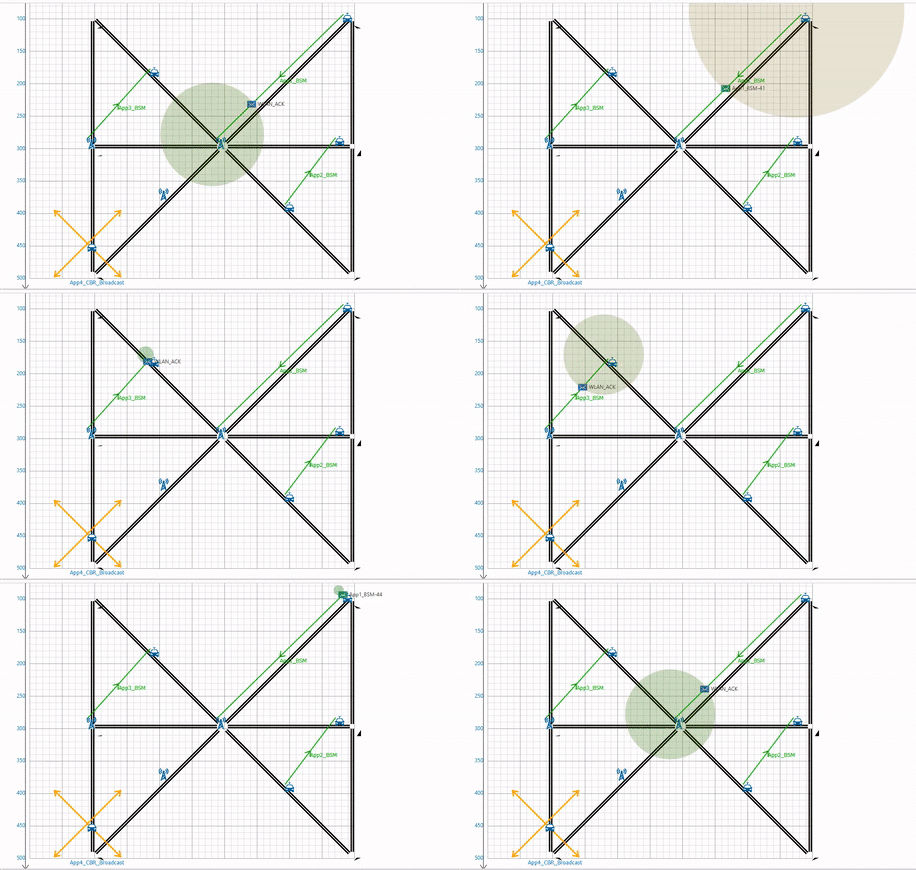
NetSim provides facilities to customize various simulation parameters and provides an extensive analysis of the network performance. However, when it comes to modeling roads, traffic signals, vehicles, etc it is left to SUMO.
SUMO has a predefined minimum gap (mingap) parameter for each vehicle class (Eg: bicycle, motorcycle, passenger car etc). SUMO tracks gaps between vehicles that are on the same edge either fully or partially. By default, whenever these gaps are reduced to below a vehicle's minGap a collision is registered.
SUMO automatically detects vehicle collisions. Since the default model aims to be accident-free, some effort must be taken to create accidents.
Often, the effects of an accident are required instead of the accident itself. Without using TraCI the following approaches may be useful:
- Let a vehicle halt on the lane for some time (see Definition of Vehicles, Vehicle Types, and Routes#Stops). This works quite nicely for simulating accidents.
- Put a variable speed sign of the lane where the accident is meant to be and let it reduce the speed (see Simulation/Variable Speed Signs). This method will reduce the throughput on the lane, but further dynamics will rather not fit to what one would expect from an accident situation.
- You may of course combine both approaches. Within a project, we simulated traffic incidents by letting vehicles stop on one lane and reducing the speed on the other lanes.
- Alternatively, you may close one or more of the lanes on an edge
- If you close the whole edge, rerouting may be triggered as well
- By setting the option --collision.stoptime, traffic jams may be created after a registered collision.
Example: Simulating an accident in SUMO
In this example, the following configuration is done to model collisions:
- The minimum gap between the vehicles is modified.
- Vehicles are let to halt on a lane for some time.
A SUMO routes/trips file contains the vehicle properties such as speed, color, future routes of vehicles, etc. This XML file can be used to modify the behavior of a vehicle. A vehicle can be defined using a vtype element in this file. The minimum gap between the vehicles can be set in its vtype definition.
In the screenshot below <vType/> tag has been added to the trips file, where the parameter mingap is set to '0' i.e by setting mingap to zero there will be no gaps maintained between the vehicles. This will in turn lead to collisions.
Also, vehicles are forced to stop in a lane for a specified time using the <stop/> tag to model collision between vehicles.

Both sumo.exe and sumo-gui.exe files can take additional command-line arguments to control the simulation behavior. Following are some of the command-line arguments that will be useful for modeling collisions:
1. --collision.mingap-factor
| --collision.mingap-factor <FLOAT> | Sets the fraction of minGap that must be maintained to avoid collision detection. If a negative value is given, the carFollowModel parameter is used; default: -1 |
SUMO tracks gaps between vehicles that are on the same edge either fully or partially. By default, whenever these gaps are reduced to below a vehicles minGap a collision is registered (default 2.5m). This (potentially) surprising behavior is used to detect issues with the default car-following model that is supposed to never reduce the gap below the minGap. By setting the option --collision.mingap-factor this threshold can be reduced. When setting --collision.mingap-factor 0, only physical collisions (i.e. front and back bumper meet or overlap) are registered.
2. --collision.action:
| --collision.action <STRING> | How to deal with collisions: [none,warn,teleport,remove]; default: teleport |
The consequence of a collision is configured using the option --collision.action using one of the following keywords:
teleport: (the default): the follower vehicle is moved (teleported) to the next edge on its route
warn: a warning is issued
none: no action is taken
remove: both vehicles are removed from the simulation
Additionally, there is the possibility of stopping vehicles for a fixed time before the collision action takes place. This allows for pile-ups and traffic disturbance.
3. --collision-stoptime
| --collision.stoptime <TIME> | Let vehicle stop for TIME before performing collision.action (except for action 'none'); default: 0 |
By setting the option --collision.stoptime, traffic jams may be created after a registered collision.
Following is an example of how command-line arguments can be passed to sumo-gui.exe for modelling collisions:
>sumo-gui.exe -c "C:\Users\bhatv\Desktop\SUMO_ACCIDENT\Configuration.sumo.cfg" --collision.mingap-factor 2 --collision.action warn --collision.stoptime 50 |
Upon running SUMO simulation using the SUMO configuration and command-line arguments as explained above, following behaviour can be observed:

Warning: Vehicle 'Vehicle_5'; collision with vehicle 'Vehicle_1', lane='gneE1_0', gap=-0.34, time=0.80 stage=insertion. Warning: Vehicle 'Vehicle_6'; collision with vehicle 'Vehicle_5', lane='gneE1_0', gap=-1.51, time=52.40 stage=insertion. Warning: Vehicle 'Vehicle_5'; collision with vehicle 'Vehicle_1', lane='gneE2_0', gap=-0.22, time=94.00 stage=move. Warning: Vehicle 'Vehicle_4'; collision with vehicle 'Vehicle_2', lane='-gneE1_0', gap=-0.29, time=130.80 stage=move. Warning: Vehicle 'Vehicle_3'; collision with vehicle 'Vehicle_6', lane='gneE1_0', gap=-0.53, time=146.80 stage=move. Warning: Vehicle 'Vehicle_5'; collision with vehicle 'Vehicle_1', lane='gneE2_0', gap=-2.49, time=149.60 stage=move. Warning: Vehicle 'Vehicle_5'; collision with vehicle 'Vehicle_1', lane='gneE2_0', gap=-2.49, time=150.00 stage=move. Warning: Vehicle 'Vehicle_4'; collision with vehicle 'Vehicle_2', lane='-gneE1_0', gap=-2.49, time=186.40 stage=move. Warning: Vehicle 'Vehicle_4'; collision with vehicle 'Vehicle_2', lane='-gneE1_0', gap=-2.49, time=186.80 stage=move. |
.
Since we have --collision.mingap-factor to 2 --collision.action as warn we can see the above collision warnings as the mingap of the vehicle becomes less than 2.
References:
https://www.tetcos.com/vanets.html
https://sumo.dlr.de/docs/Simulation/Safety.html#collisions
https://sumo.dlr.de/docs/FAQ.html#how_to_simulate_an_accident