NetSim errors due to incorrect Windows Regional Settings
| Applicable Versions | NetSim Academic | NetSim Standard | NetSim Pro |
Possible Issues Encountered in NetSim when using incorrect settings:
- Error pop-up in NetSim GUI.
- An unknown exception error occurs with the message "The input string '0.8' was not in a correct format."
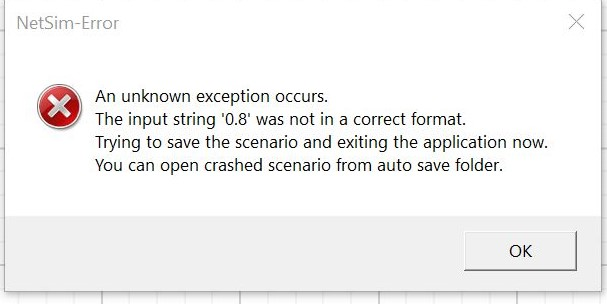
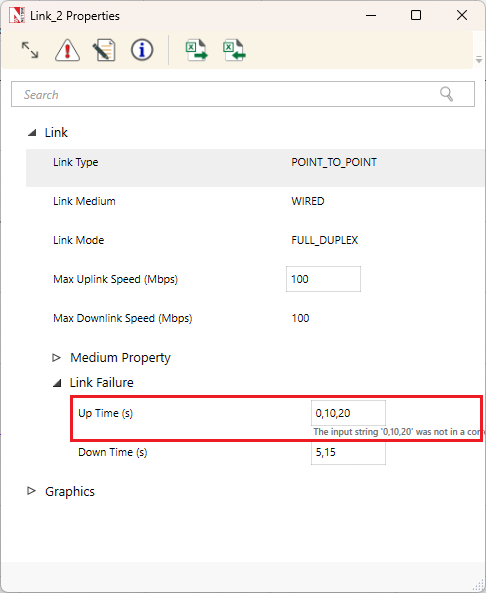
- This is due to Windows regional settings set to any other language, the decimal separator for some countries is comma instead of a dot and list separator is dot instead of comma.
- Cannot simulate few of NetSim built-in examples and experiment.
- For Example: Open the Pure Aloha experiment with 10 Nodes and run the simulation.
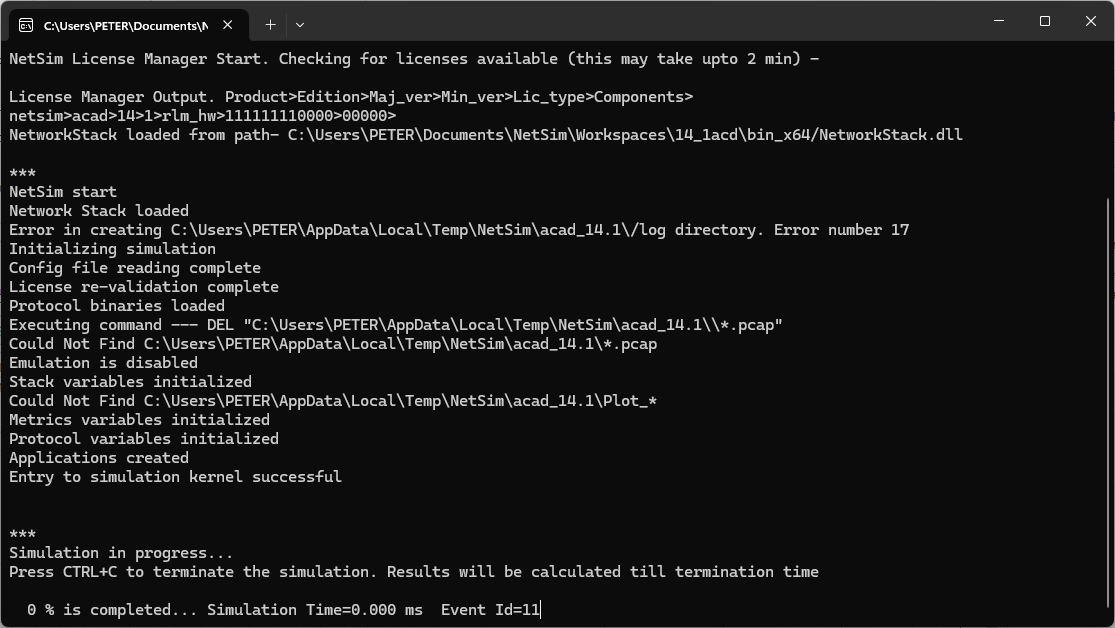
- The simulation does not progress from 0% as shown in the screenshot above because of the Configuration.netsim contains comma, dot and hyphen which are treated as different formats in different countries.
- For Example: Open the Pure Aloha experiment with 10 Nodes and run the simulation.
- Formatting issue with the trace and log csv files.
- For Example: when you open Packet Trace .csv file all your data might appear in one single column separated with commas. This is to do with your computer's regional settings.
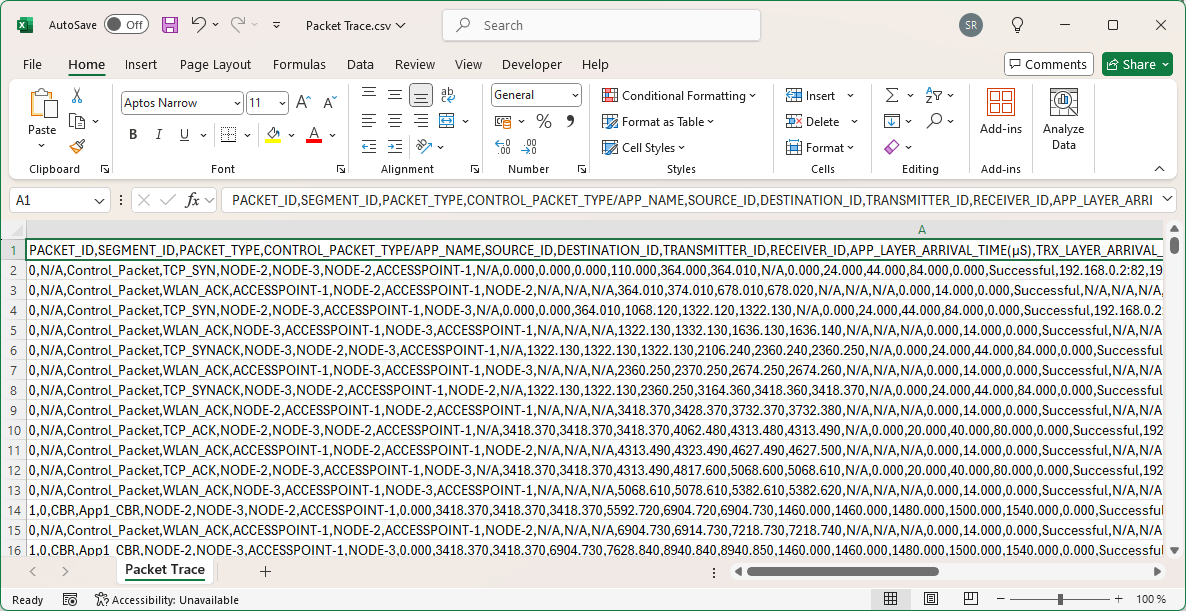
- Solution 1: Change the Windows regional settings.
- Solution 2: To import .csv file into excel.
- MS Excel 2007 - 2012
- Open Excel
- Go to 'Data' tab
- Select 'From Text' (third option from left) and select the .CSV file you want to import.
- Click 'Next' on the pop-up window. Make sure you tick off 'Comma' selection in the next window. You should see your data applied into columns below already. You can add any other information if you need to here. Click 'Finish' when you're done with editing.
- MS Excel 2003
- Open Excel
- Go to 'Data' tab
- Select 'Import External Data' and then 'Import Data' from the drop down menu.
- Select the .CSV file you want to import.
- Click 'Next' on the pop-up window. Make sure you tick off 'Comma' selection in the next window. You should see your data applied into columns below already. You can add any other information if you need to here. Click 'Finish' when you're done with editing.
- For Example: when you open Packet Trace .csv file all your data might appear in one single column separated with commas. This is to do with your computer's regional settings.
Resolution
These issues can be resolved by configuring the correct English regional settings in the OS. This guide will help you configure your Windows system appropriately.
Steps to Change Regional Settings in Windows
- Open the Control Panel:
- Press Win + R, type control, and press Enter.
- Alternatively, search for "Control Panel" in the Start menu.
- Go to Region settings:
- In the Control Panel, click on "Clock and Region".
- Then click on "Region".
- Modify the Formats:
- In the "Region" dialog box, go to the "Formats" tab.
- Look for the "Format:" Dropdown box
- Select English (United Kingdom) or English (United States) as shown in the image below.
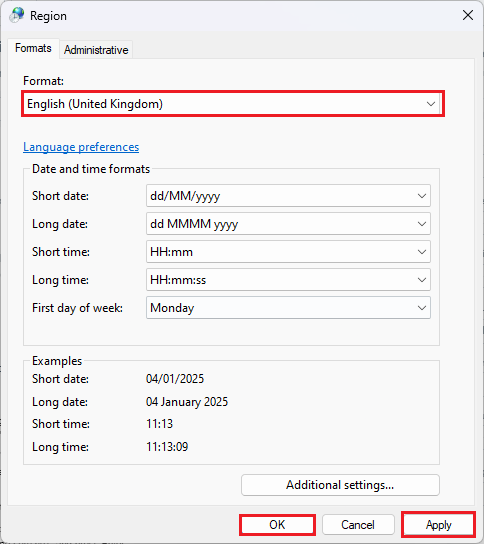
- Apply the changes:
- Click "Apply" and then "OK" in the "Region" dialog box.
- Restart NetSim for the changes to take effect.