Troubleshooting Guide: Issues with MATLAB Interfacing
Encountering challenges when integrating MATLAB with NetSim can arise due to various factors, such as missing MATLAB installation, incomplete installation of related toolboxes, or incorrect system settings.
Please note that registering MATLAB as a COM Server is a pre-requisite to perform NetSim MATLAB interfacing. To check if it's registered, please refer to this guide: https://www.mathworks.com/help/matlab/matlab_external/register-matlab-as-automation-server.html
Ensuring the proper configuration of the MATLAB path in the system's environmental variables is also crucial.
Identifying the Issue
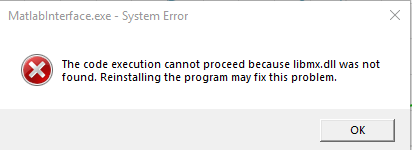
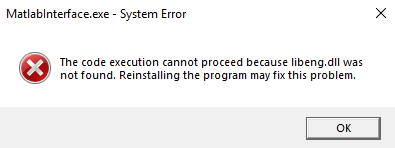
Error messages such as "libmx.dll is not found" or "libeng.dll is not found" indicate that the MATLAB path may not be correctly configured in the system's environmental variables.
Resolving the Issue
Here's a step-by-step guide to resolve the issue by setting the MATLAB path in the environmental variables:
1. Check Environmental Variables:
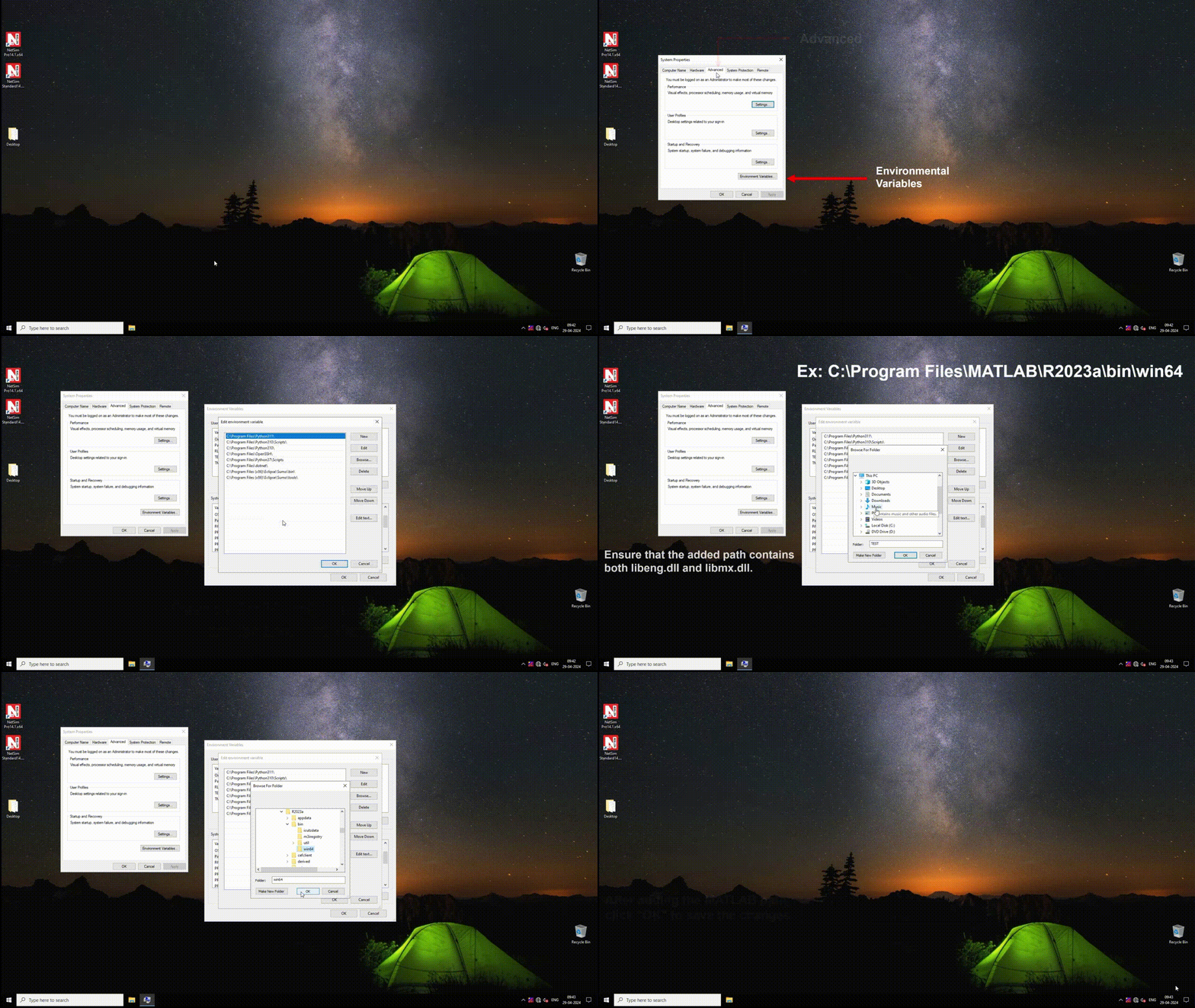
- Open the search function on your system and search for "Environmental variables."
- Select "Edit the system environmental variables."
2. Edit Environmental Variables:
- In the System Properties window, navigate to the "Advanced" tab.
- Click on "Environmental Variables."
3. Set MATLAB Path:
- In the Environmental Variables window, there are two sections: User variables and System variables.
- Look for the "Path" variable in both sections.
- If MATLAB path is not listed, add it by following these steps:
- Click on "New" in System variables section.
- Enter the path to MATLAB installation directory. For example: “C:\Program Files\MATLAB\R2023a\bin\win64”.
4. Save Changes:
- After adding the MATLAB path, click "OK" to save the changes and close the windows.
If the issue persists even after making the necessary changes, restart your system to ensure the changes to the environmental variables take effect
Conclusion
Ensuring that the MATLAB path is set in the system's environmental variables and registering MATLAB as a COMSERVER, can help users resolve issues related to MATLAB interfacing with NetSim. This simple configuration adjustment can often solve common errors and ensure seamless interfacing between NetSim and MATLAB.