How do I enable the TCP log file which print everything related to working of TCP?
| Applicable Versions | NetSim Standard | NetSim Pro |
NetSim provides a TCP Log of events associated with the TCP connection state.
A TCP connection progresses through a series of states during its lifetime. The states are: LISTEN, SYN-SENT, SYN-RECEIVED, ESTABLISHED, FIN-WAIT-1, FIN-WAIT-2, CLOSE-WAIT, CLOSING, LAST-ACK, TIME-WAIT, and the fictional state CLOSED. CLOSED is fictional because it represents the state when there is no TCB, and therefore, no connection. Briefly, the meanings of the states are:
- LISTEN - represents waiting for a connection request from any remote TCP and port.
- SYN-SENT - represents waiting for a matching connection request after having sent a connection request.
- SYN-RECEIVED - represents waiting for a confirming connection request acknowledgment after having both received and sent a connection request.
- ESTABLISHED - represents an open connection, data received can be delivered to the user. The normal state for the data transfer phase of the connection.
- FIN-WAIT-1 - represents waiting for a connection termination request from the remote TCP, or an acknowledgment of the connection termination request previously sent.
- FIN-WAIT-2 - represents waiting for a connection termination request from the remote TCP.
- CLOSE-WAIT - represents waiting for a connection termination request from the local user
- CLOSING - represents waiting for a connection termination request acknowledgment from the remote TCP.
- LAST-ACK - represents waiting for an acknowledgment of the
- connection termination request previously sent to the remote TCP (which includes an acknowledgment of its connection termination request)
- TIME-WAIT - represents waiting for enough time to pass to be sure
- the remote TCP received the acknowledgment of its connection termination request.
- CLOSED - represents no connection state at all.
Reference: https://www.rfc-editor.org/rfc/rfc793
NOTE: Procedure may vary for different releases of NetSim. Please follow the steps mentioned under the applicable release.
| Applicable Releases | v13.3 |
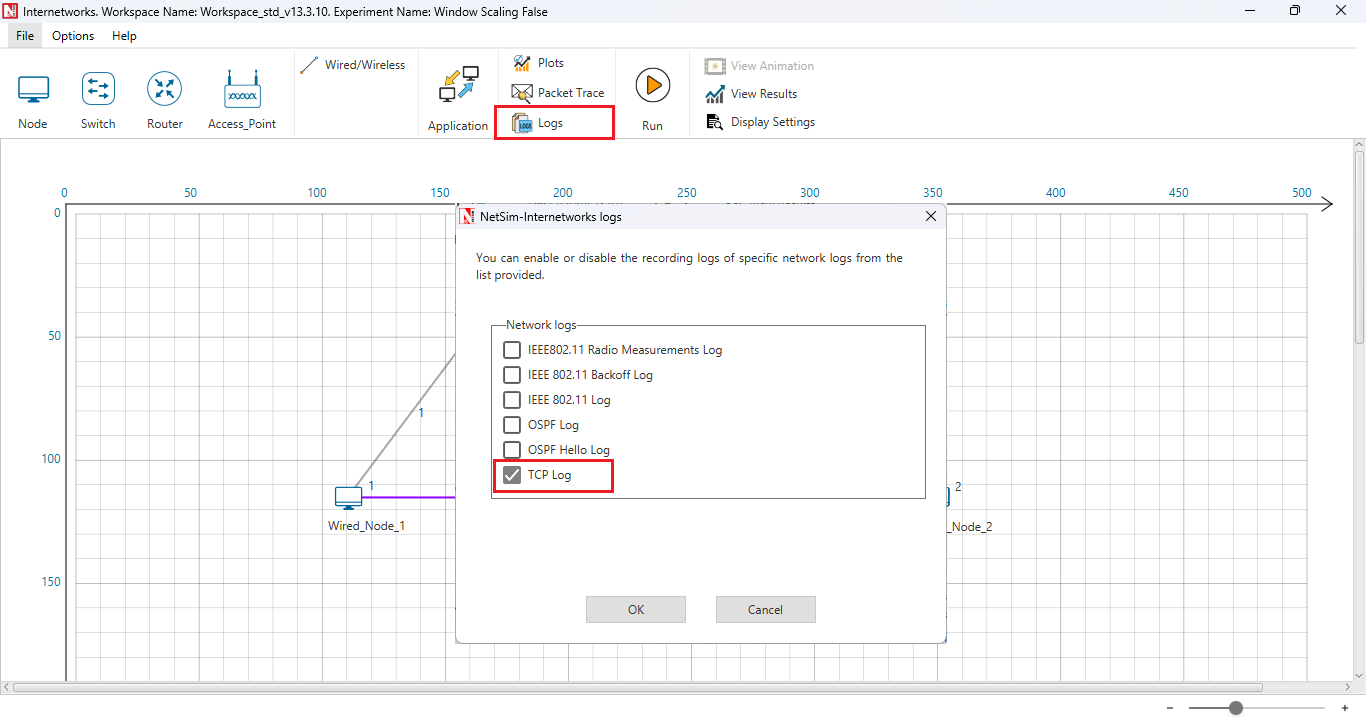
Users can enable protocol-specific log files such as the Radio Measurement log by clicking on the icon present in the toolbar as shown below.
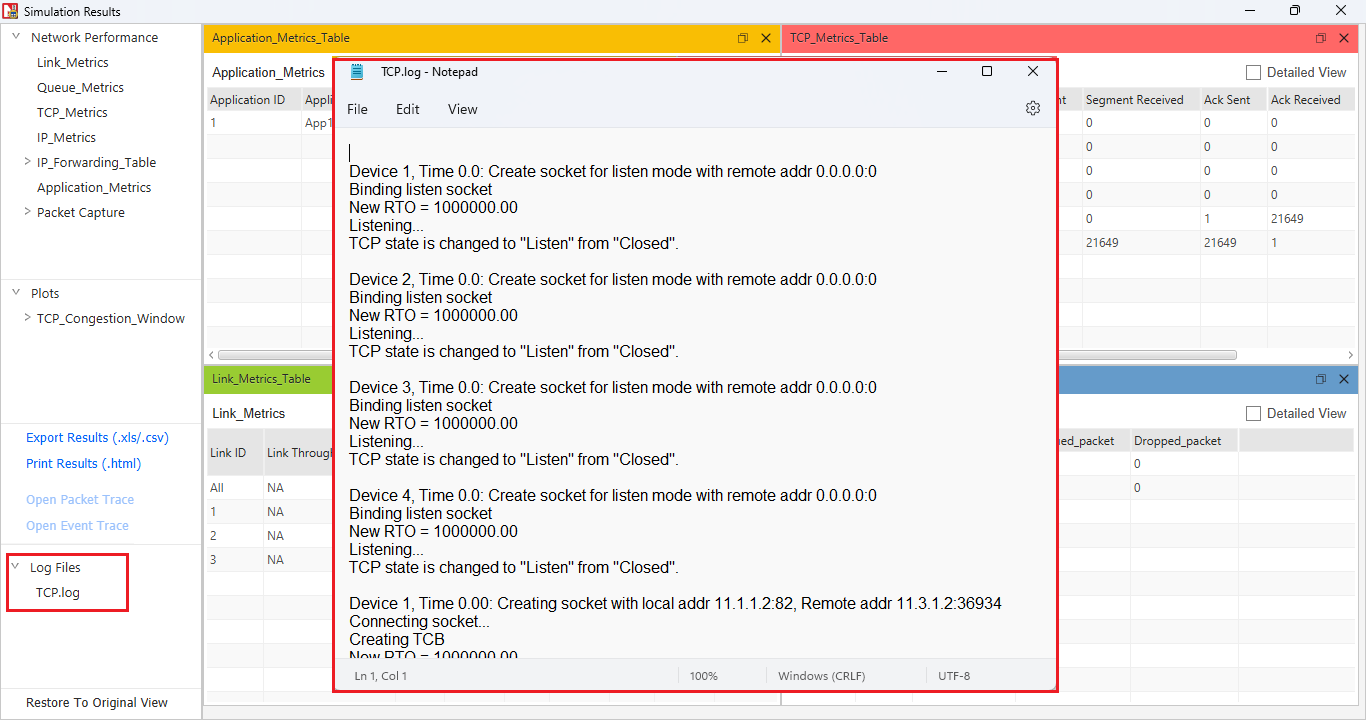
The TCP Log file can be accessed post-simulation from the results dashboard as shown below:
| Applicable Releases | v10 | v11 | v12 | v13 |
The TCP Log file is usually a very large file and hence is disabled by default in NetSim.
To enable logging, go to TCP.c inside the TCP project and change the function bool isTCPlog() to return true instead of false.
You will see the TCP Log file being printed in <Windows Temp Folder>/NetSim
Related articles:
How to use fprintf() with stderr, stdout and printf() statements in NetSim?
How can I print the MME's Home location register (HLR) to a file
How to print the number of resource blocks allocated to UEs to a file?