How to interface NetSim interfacing with LabVIEW?
| Applicable Versions | NetSim Standard | NetSim Pro |
| Applicable Releases | v14.4 |
TABLE OF CONTENTS
- Introduction
- Softwares used
- LabVIEW Example
- NetSim-LabVIEW interfacing
- Output/Metrics specific to this example
- Modifications done to NetSim Source codes
- Procedure to download this project for this example
- Procedure to setup NetSim for this example
- Running NetSim Simulation scenario
- Results
Introduction
NetSim can be interfaced with LabVIEW, which allows users to interact with LabVIEW during run-time. LabVIEW can interact and control the behavior of its Models.
LabVIEW is a system engineering software for applications that require test, measurement, and control with rapid access to hardware and data insights. NetSim now has a method of Interfacing with LabVIEW in a fashion similar to that of MATLAB interfacing. NetSim can initialize a LabVIEW Virtual Instrument (.vi) file during runtime, pass inputs to components of the file, execute the vi, read the computed parameters from its components, and terminate the vi instance at the simulation end.

Softwares used
- NetSim Standard v13/v14 or higher
- LabVIEW 2020
- Visual Studio Community Edition 2019 or higher
LabVIEW Example
In this article, we have considered a simple LabVIEW Example. NetSim invokes LabVIEW periodically, which in turn generates a random number and passes it to NetSim in run-time.
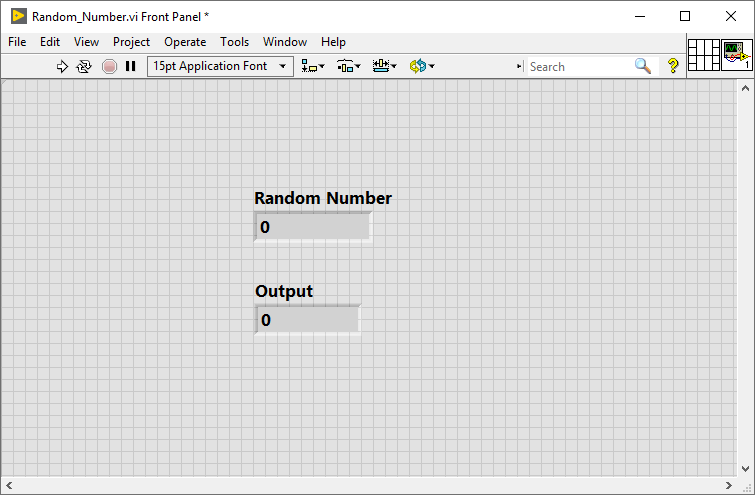
NetSim-LabVIEW interfacing
Upon interfacing NetSim with LabVIEW the following tasks are performed at simulation start:
- LabVIEW Engine is initialized
- LabVIEW GUI window is loaded
- LabVIEW - Random Number generator Example is loaded
Upon simulating a network created in NetSim the following tasks are performed periodically:
- LabVIEW generates a random number
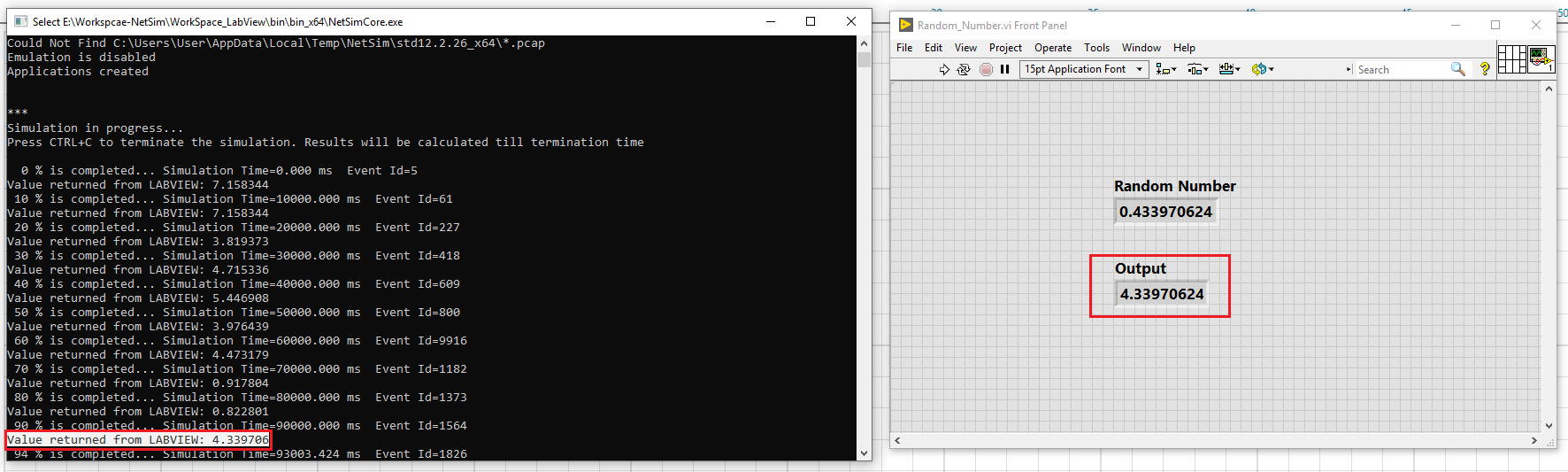
- NetSim reads the data generated by LabVIEW
- NetSim Prints the random number to the Simulation console
Output/Metrics specific to this example
- NetSim Event Trace - LabVIEW event is registered to periodically interact with LabVIEW
Modifications done to NetSim Source codes
Projects: Zigbee
Files:
- 802.15.4.c,
- 802.15.4.h,
- Zigbee.vcxproj (Project file)
Files added:
- Labview_Interface.cpp
- Labview_Interface.h
Procedure to download this project for this example
Follow the instructions specified in the following link to download and setup the project workspace in NetSim: Downloading and setting up NetSim File Exchange Projects
Secure URL for the GitHub repository:
NetSim v14.4: https://github.com/NetSim-TETCOS/NetSim-LabVIEW-Interfacing-v14.4/archive/refs/heads/main.zip
Procedure to setup NetSim for this example
- Import the Workspace provided in the repository for interfacing with LabVIEW in NetSim
- Go to Your Work option and then click on Source Code button -> Open Code
- Change Labview.tlb path as per your installation in Labview_interface.cpp file which has been added to the ZigBee source code project.
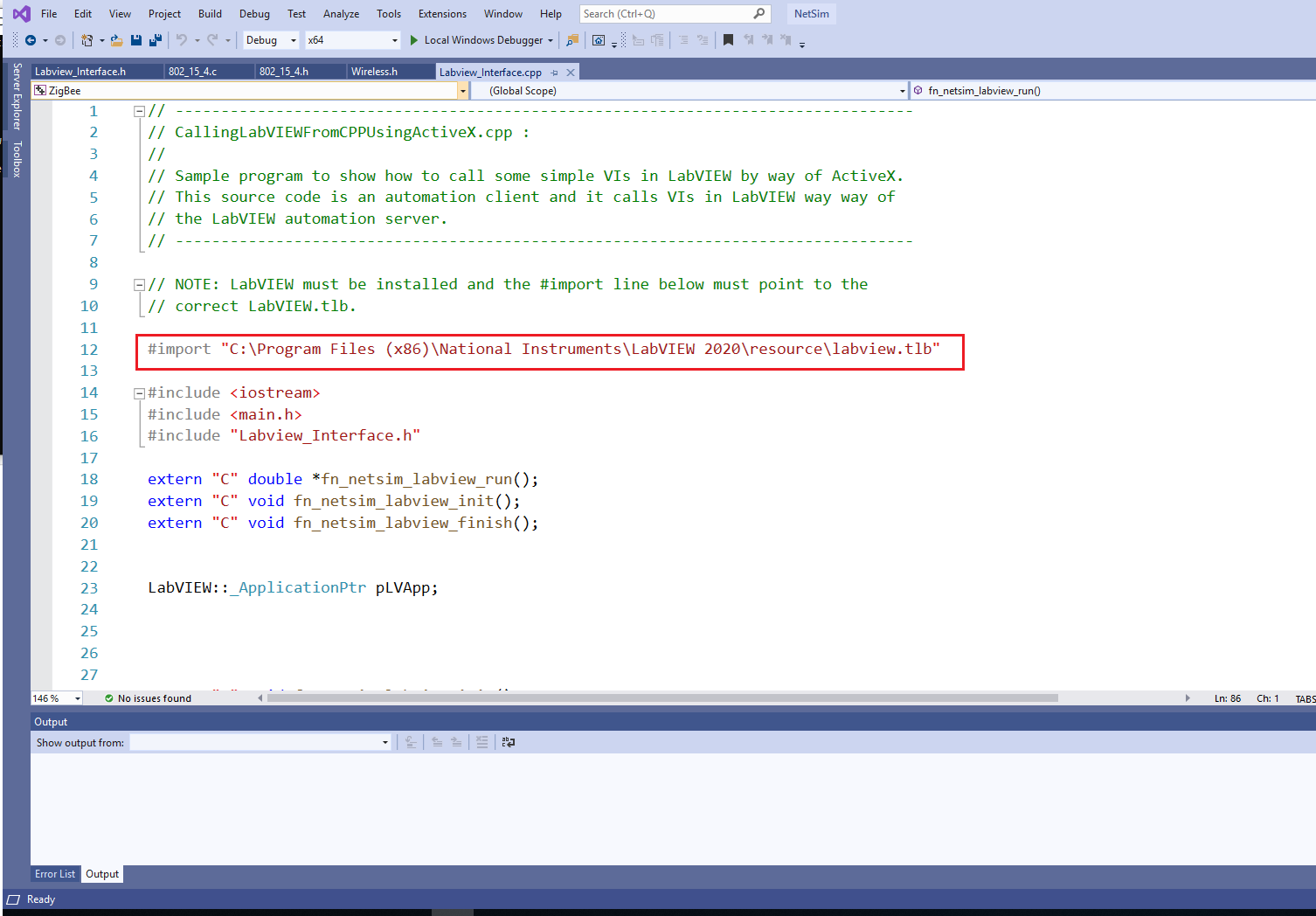
- Rebuild Zigbee project
- Copy Random_Number.vi LabVIEW file to <LABVIEW INSTALL DIRECTORY>\examples path. For eg: "C:\Program Files\National Instruments\LabVIEW 2025\examples"
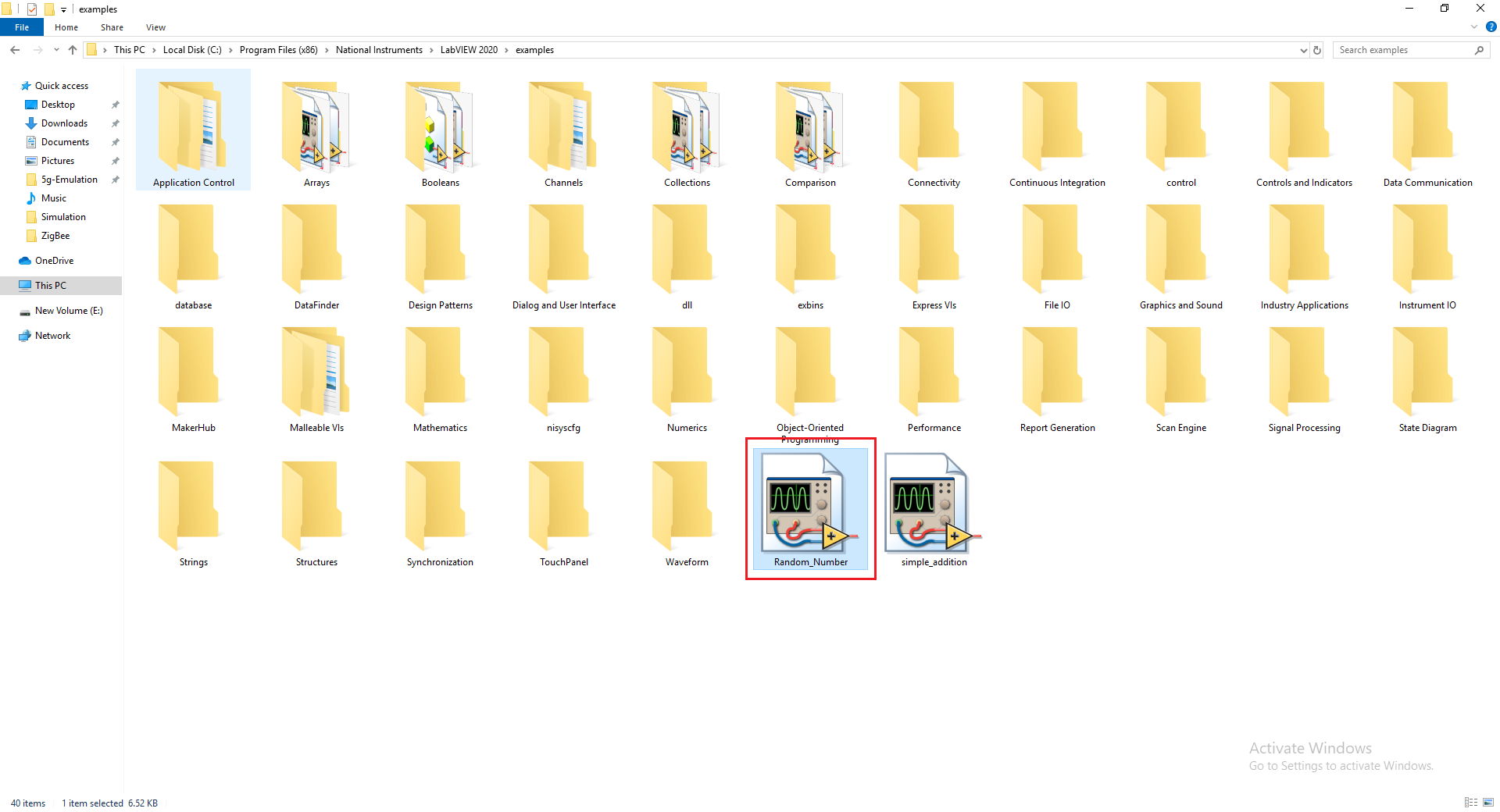
Running NetSim Simulation scenario
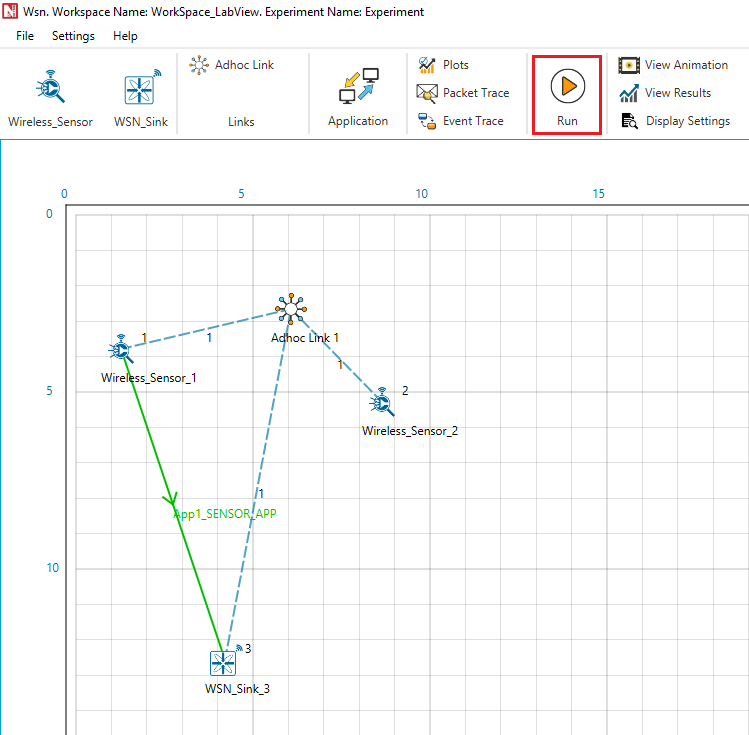
- Open Example from NetSim i.e Home Screen ->Your Work -> LabVIEW_Example
- NetSim Scenario
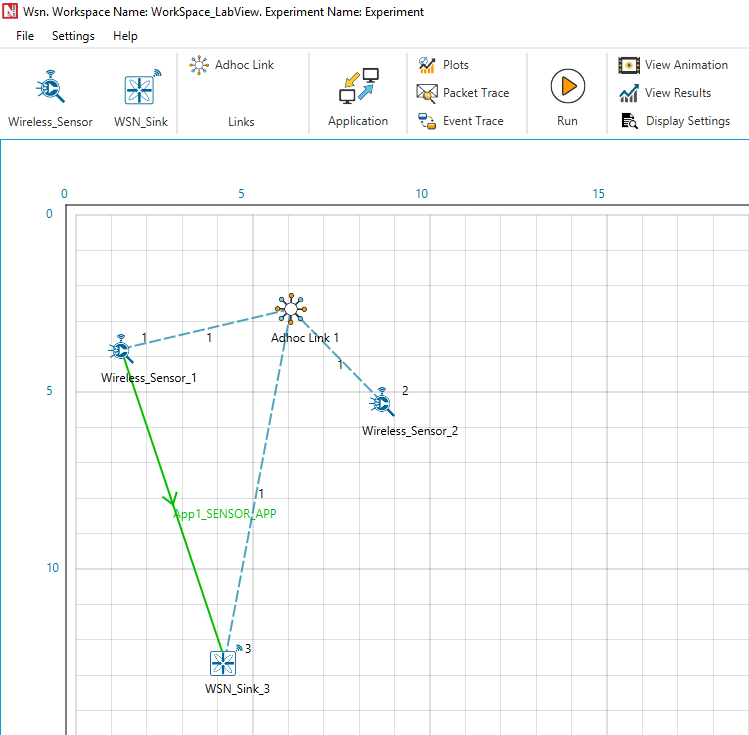
- Run-Simulation
Results
As the simulation runs, NetSim automatically initializes LabVIEW and NetSim triggers generation of new random numbers in the LabVIEW model and also gets and prints them to the simulation console as shown below:
 NetSim Run-time Simulation interacting with LabVIEW