
| Applicable Versions | NetSim Academic | NetSim Standard | NetSim Pro |
| Applicable Releases | v14 | or Higher versions |
Let us consider a simple network scenario as shown below:
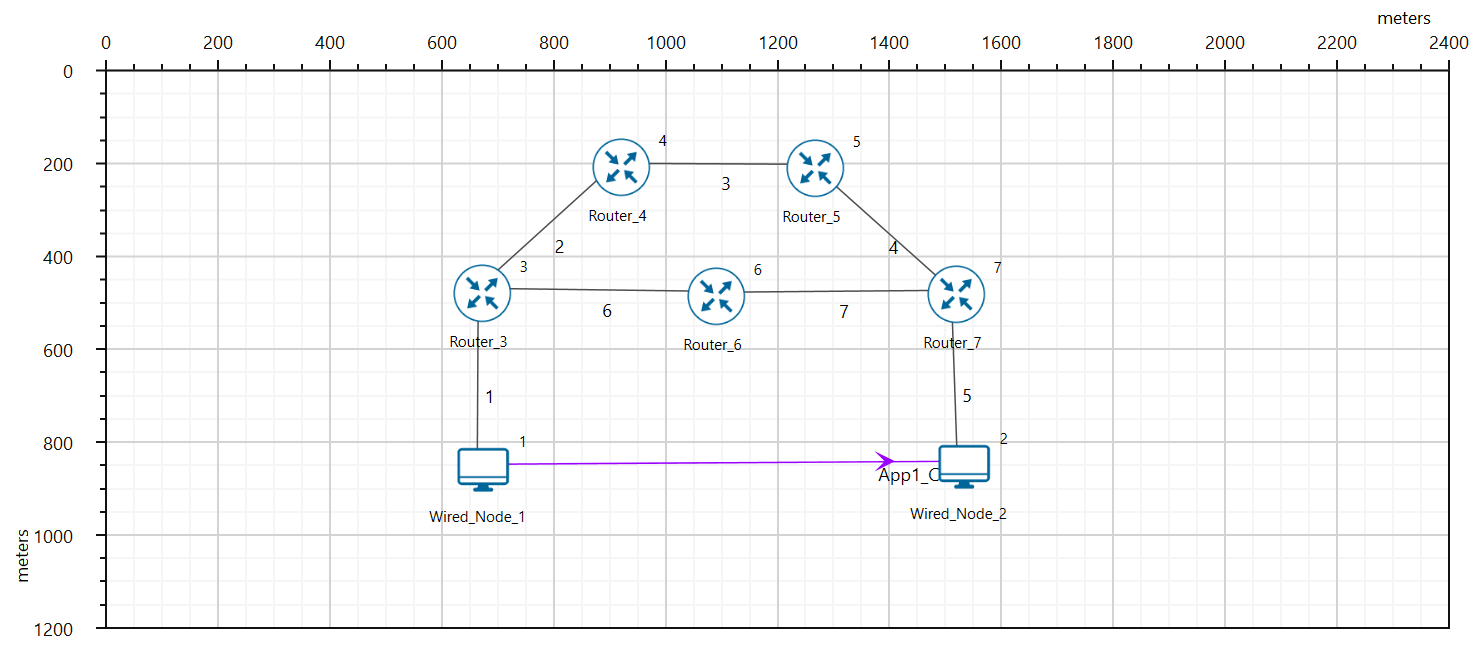
Routers in the network have both an Ethernet interface and a WAN interface. NetSim supports OSPF messages, Router LSAs, and generates OSPF logs as per RFC 2328.
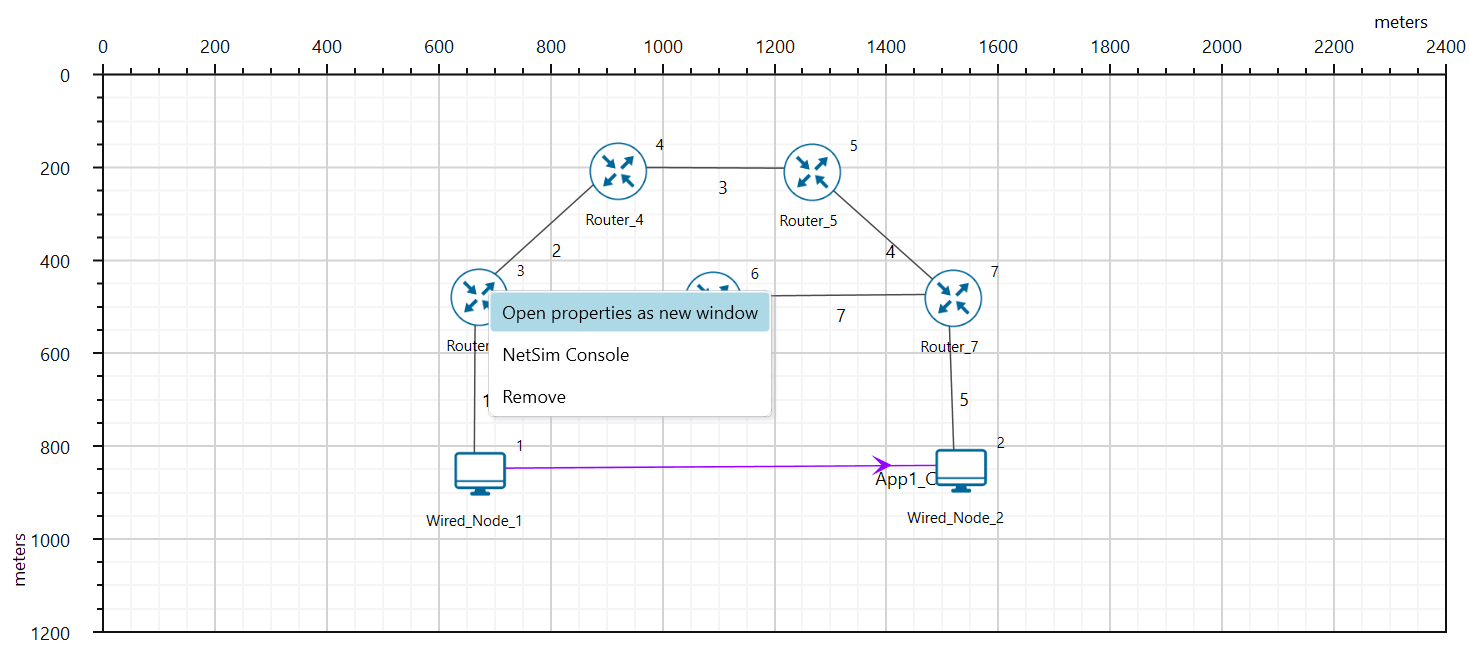
Router properties can be accessed by right-clicking on the router and selecting properties:
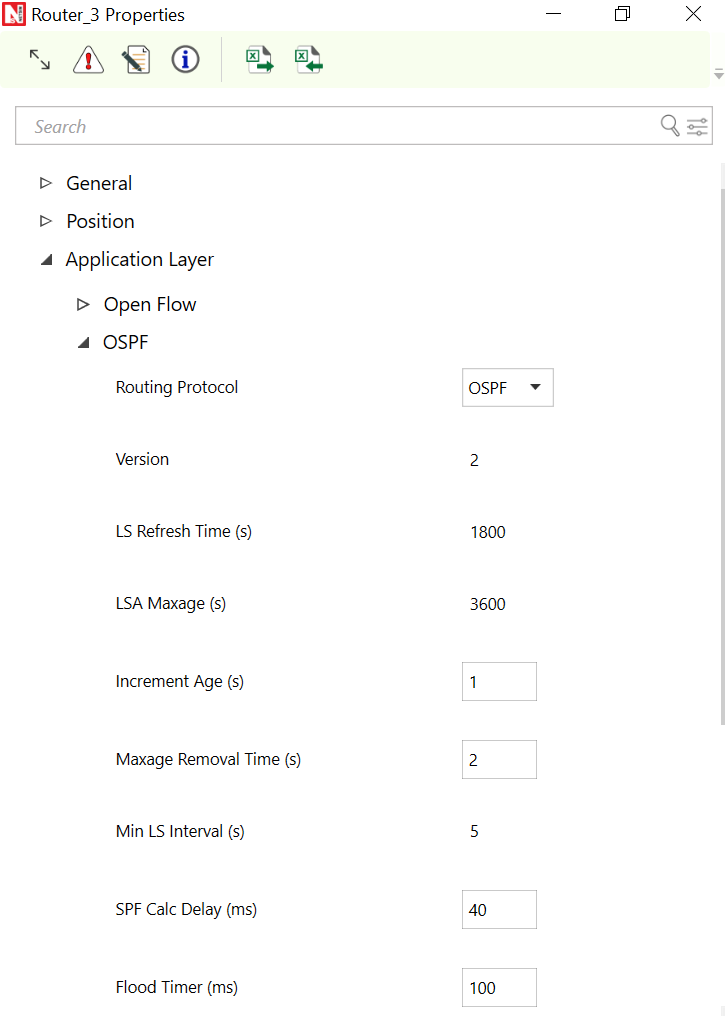
Users can configure OSPF global properties, which apply to all routers in the current network, from the APPLICATION_LAYER settings, as shown below
The output cost can be configured in the Interface layer under the OSPF protocol properties in the Application layer.
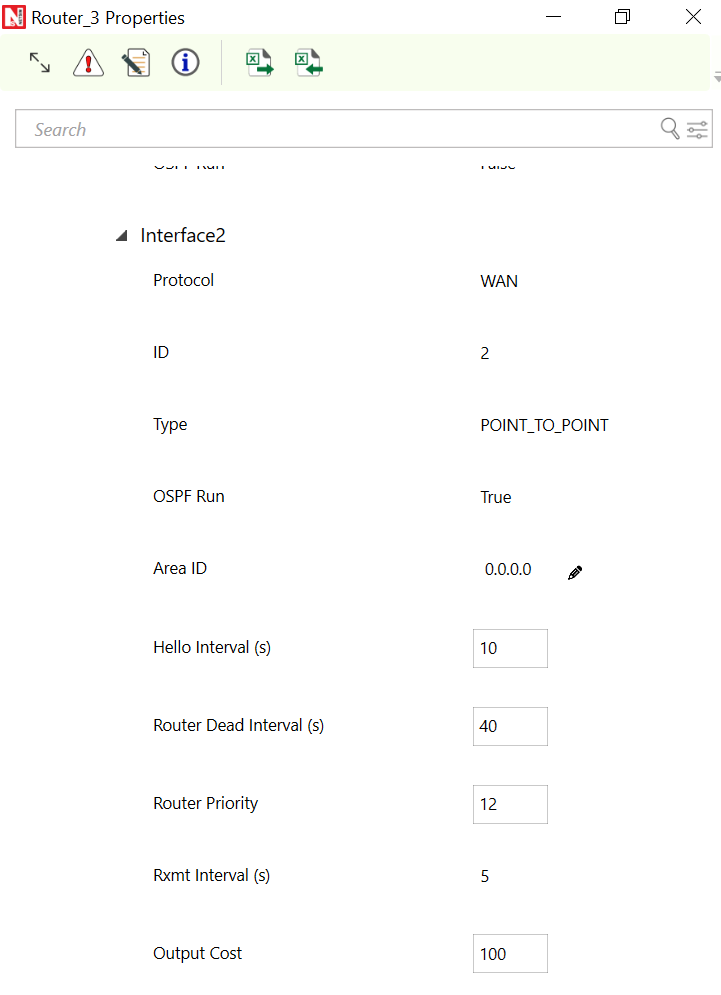
NOTE: The Output Cost parameter is a local property. Hence it is the responsibility of the User to change it in the interfaces layer under OSPF of the routers present in the scenario.
Other related articles: what-is-the-default-cost-and-the-reference-bandwidth-how-is-ospf-metric-value-calculated-in-netsim-