
| Applicable Versions | NetSim Academic | NetSim Standard | NetSim Pro |
| Applicable Releases | v14.4 or Higher version |
NetSim Supports different mobility models such as Random Walk, Random WayPoint, Group Mobility, File-Based Mobility, and SUMO-based model.
- The Random Walk model is that of a random walk on a regular lattice, where at each step the walk jumps to another site according to some probability distribution.
- The Random Way Point model is a commonly used synthetic model for mobility in Ad-Hoc networks. It is an elementary model that describes the movement pattern of independent nodes in simple terms.
- The group mobility model is a commonly used synthetic model for mobility in Ad Hoc networks. It is an elementary model that describes the behavior of mobile nodes as they move together.
- In File-Based Mobility, users can write their own custom mobility models and define the movement of the mobile users.
- In SUMO based model available in the VANET nodes, users can link the SUMO tool with NetSim to introduce vehicular movement in the nodes, with the help of a SUMO configuration file.
- The Pedestrian Mobility model is a commonly used synthetic model for mobility in Ad Hoc networks. It is an elementary model that describes the movement of nodes according to real geographic data such as buildings, streets, etc, and also destination-oriented movements such as dedicated start and endpoints.
Following screenshot shows the mobility models available in a Wireless node in MANETs:
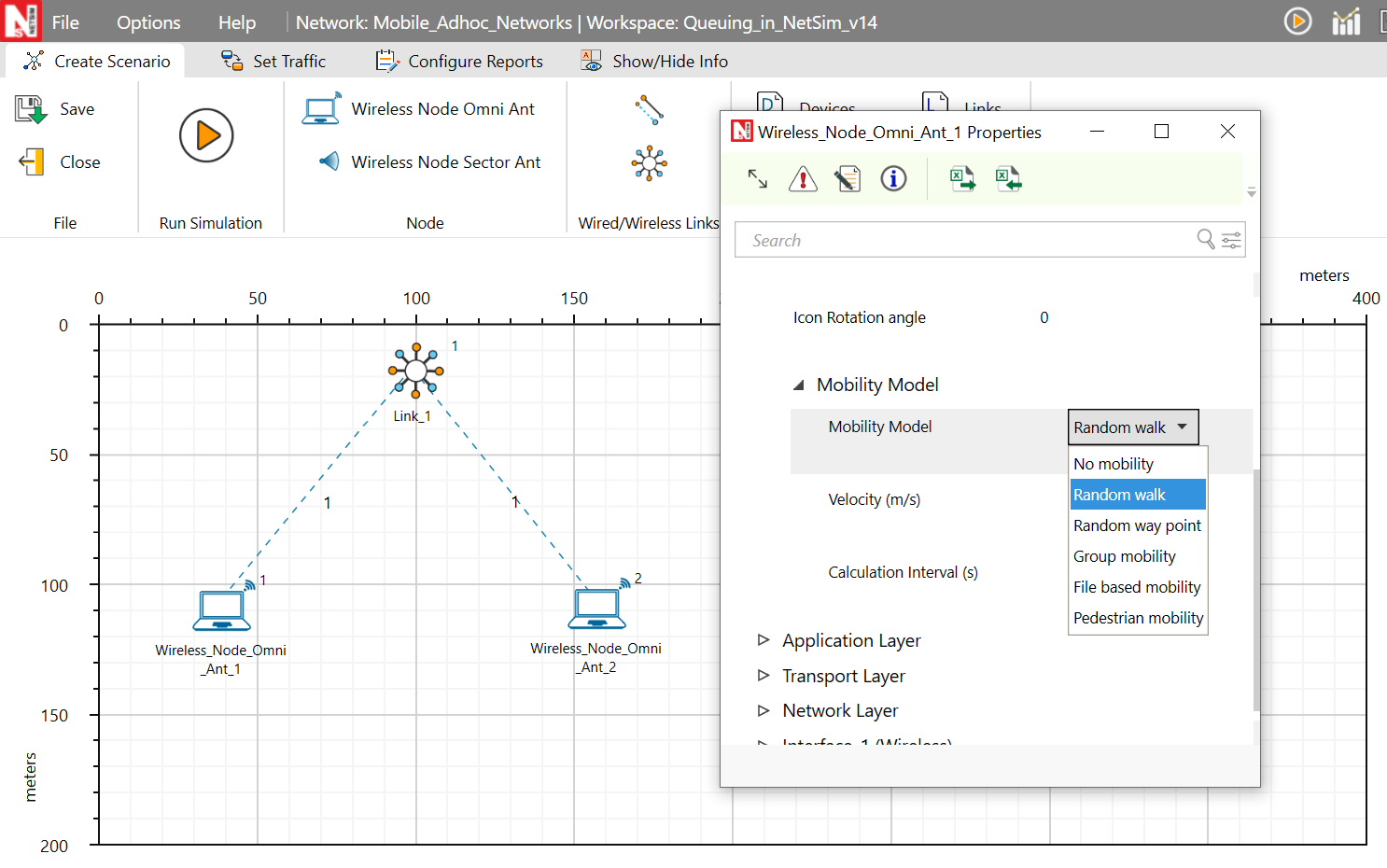
Note that not all mobility models are available in all devices. There will be limitations based network being simulated
Printing node position over time (possible only in NetSim Standard and NetSim Pro versions)
Open Mobility Project, and in Mobility.c and go to fn_NetSim_Mobility_Run() function. Inside the default, case add the following codes
fprintf(stderr,"\n The position of %s at time %.2lfms is X=%.2lf and Y = %.2lf \n",DEVICE_NAME(pstruEventDetails->nDeviceId),
pstruEventDetails->dEventTime,
DEVICE_POSITION(pstruEventDetails->nDeviceId)->X,
DEVICE_POSITION(pstruEventDetails->nDeviceId)->Y);
_getch();
Build Mobility project. Upon running a simulation involving mobile devices, users will see the node positions getting printed in the console during run time. The same can be obtained as a log by writing to a file instead of stderr.
How do I set file based mobility
The NetSim Mobility File setting and format is explained below:
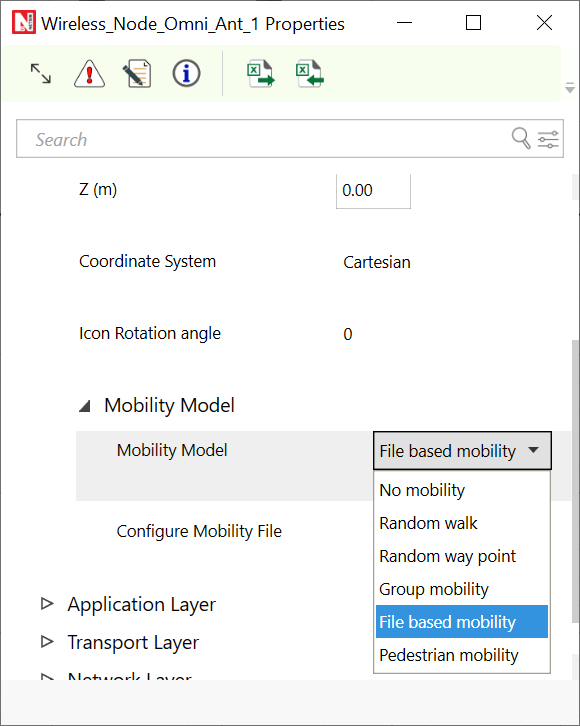
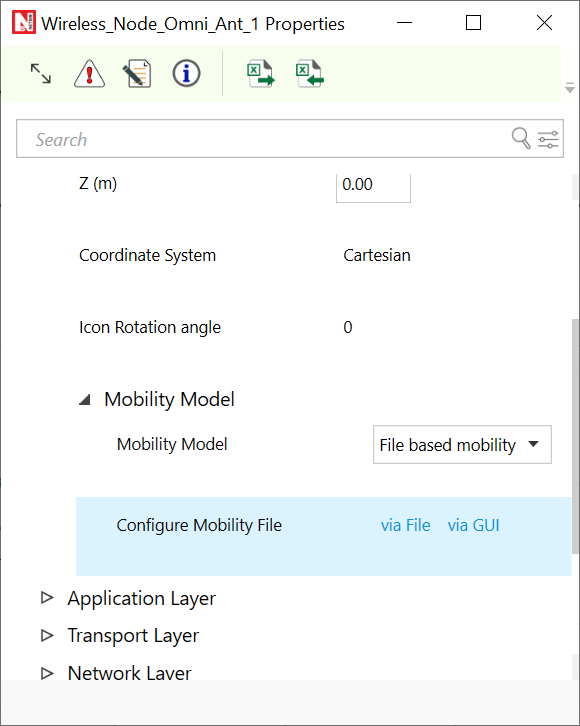
Step 1: Right click to open Properties of Wireless_Node (MANET) or UE (LTE Networks). Then properties > Properties > select mobility model as File_Based_Mobility and click on Open Mobility file.
Step 2: Inside the csv file and write the node mobility in format shown below.
<TIME_IN_SECONDS>,<DEVICE_ID>,X,Y,Z
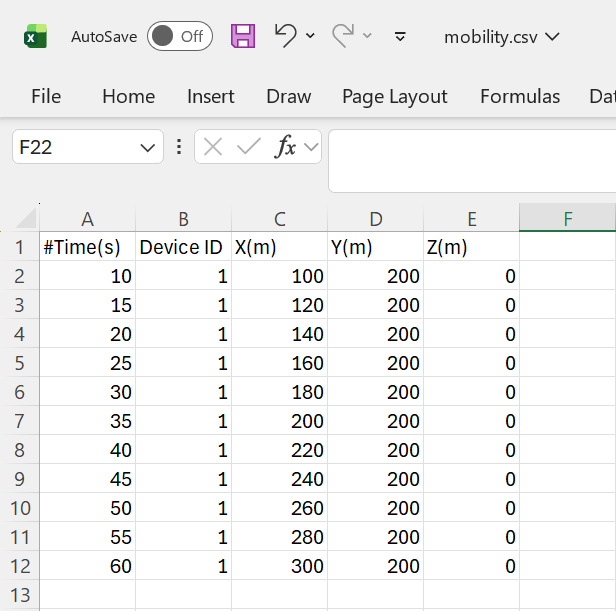
- The mobility file is common for all devices in the network. Hence, if you want to introduce mobility in multiple nodes based on data from MATLAB all this information can be put together in the same mobility text file which NetSim will read at the simulation start.
- NetSim does not check for errors in the mobility file. If there is a mistake the simulation will hang. Please cross your check your file prior to the simulation start
- https://tetcos.freshdesk.com/solution/articles/14000084341-how-to-add-file-based-mobility-to-the-sensor-nodes-in-netsim-wsn-iot-
- https://tetcos.freshdesk.com/solution/articles/14000084737-how-to-convert-ns2-movements-file-to-netsim-mobility-file-format-
- https://tetcos.freshdesk.com/solution/articles/14000085541-how-to-perform-vehicular-network-simulations-using-netsim-lte-library-