VANETs: UAV to Vehicle Communication for Accident Alert and Rerouting
| Applicable Versions | NetSim Standard | NetSim Pro |
| Applicable Releases | v14 |
Vehicular Ad-hoc Networks (VANETs), amongst other things, enable vehicles and infrastructure to communicate, for faster accident responses. Without this communication response times to accidents would be slower, leading to increased congestion and safety risks. VANETs allow vehicles to share real-time data about accidents and road conditions, facilitating faster detection and rerouting when necessary. This improves safety and reduces traffic congestion.
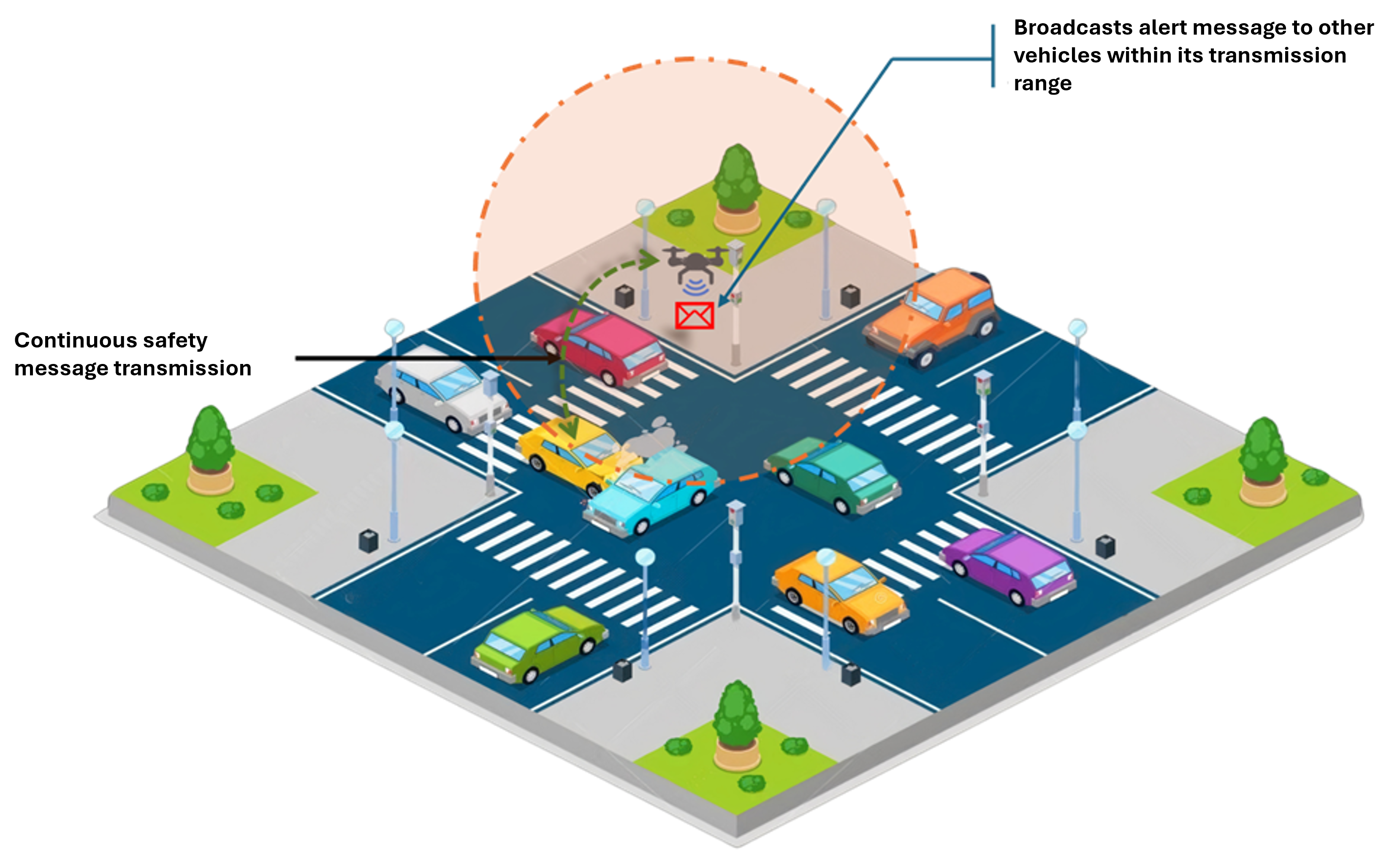
The article explains how to integrate drones in NetSim VANET simulations to reroute vehicles following an accident. When an accident occurs, vehicles send messages to drones. The drones receive the safety message from the affected vehicles and broadcast an alert to all vehicles in the network. Timely communication allows vehicles to reroute their path, avoiding the accident.
Methodology
Road Traffic Simulation Setup:
- We utilize NetEdit to design realistic road traffic scenarios.
- Vehicles are deployed in the simulated network.
Accident Induction:
- Accidents are modeled using the TraCI API by reducing the speed of a vehicle to zero and causing it to collide with another vehicle.
Continuous Communication with UAV:
- The accident vehicle remains in continuous communication with the UAV, providing status updates.
Accident Alert System:
- The UAV detects accidents by receiving status updates from the accident vehicle.
- It processes this information and broadcasts alert messages to all vehicles in the network.
Accidents in SUMO
To simulate road traffic in SUMO, create the simulation using NetEdit, defining road networks and vehicle routes.
Accident modeling can be achieved by either using Traci API's or modifying the route file (rou.xml) to create a collision point for vehicles.
For detailed information on how to model accidents refer: https://support.tetcos.com/support/solutions/articles/14000107994-how-to-simulate-an-accident-in-netsim-vanet-
https://sumo.dlr.de/docs/FAQ.html#how_to_simulate_an_accident
Network modeling in NetSim
- Import the created SUMO configuration into NetSim.
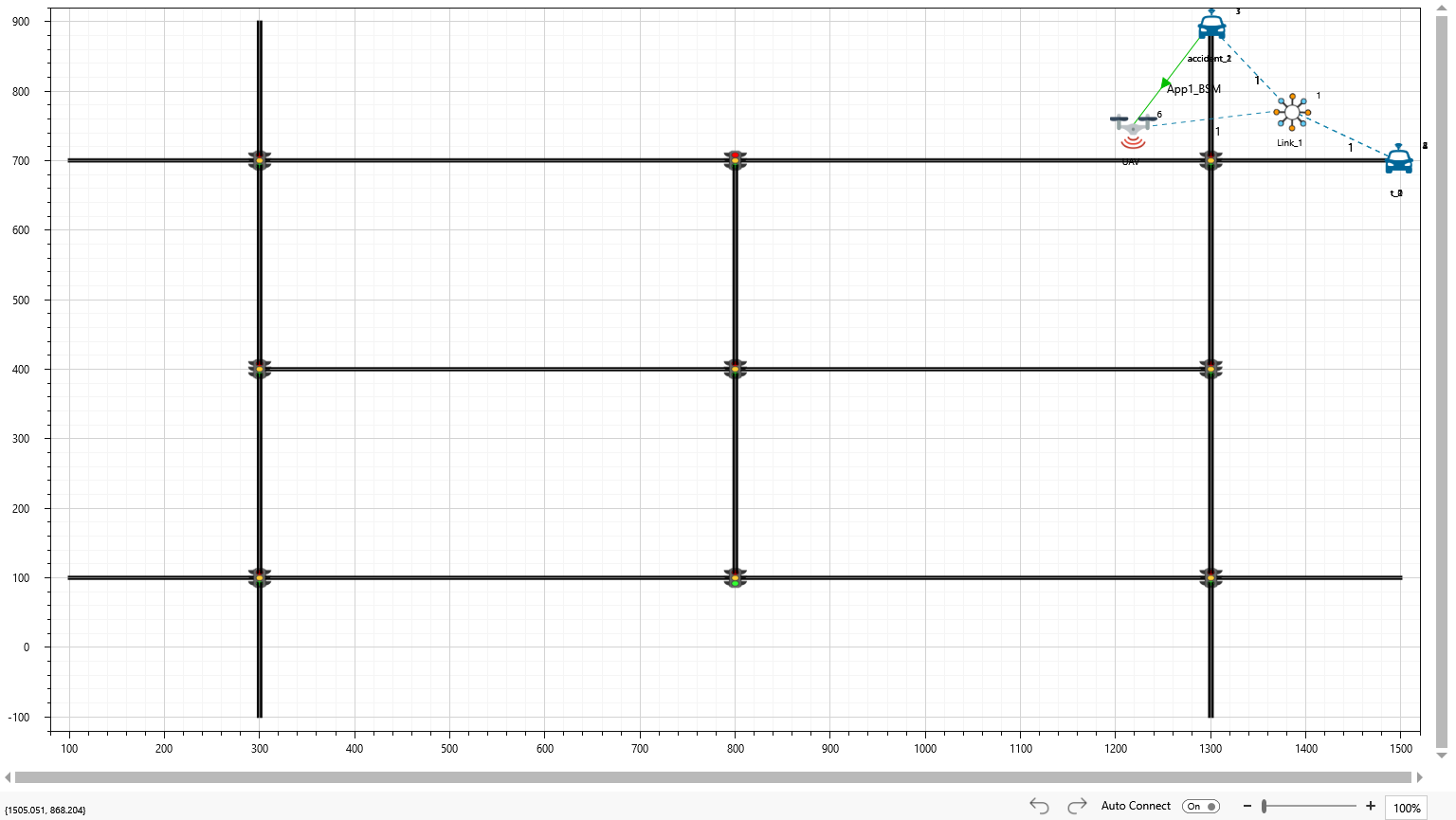
- Manually drop a device into the network, designating it as a UAV. (Rename and change the icon accordingly).
- Set up the safety message transmission application between the UAV and the accident vehicle.
UAV Mobility
There are multiple ways to define mobility for UAVs. One approach is to use MATLAB to generate flight paths and mobility patterns. Another method is to use file-based mobility, where X, Y, and Z coordinates provided in a file specify the flight path.
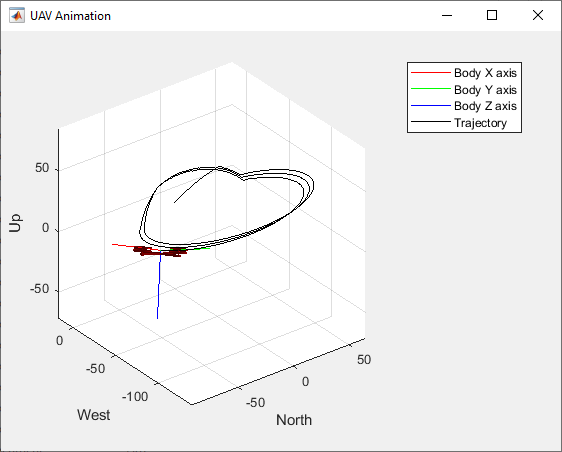
To incorporate UAV mobility in NetSim, you can replace the Vehicle.xml file located in Device Properties > UI_xml > Docs of NetSim's installation directory (e.g., C:\Program Files\NetSim\Standard_v14_0\Docs\UI_xml\Device_Properties) with the provided XML file along with the workspace.
Additionally, the MATLAB folder within the bin_x64 path of the workspace contains a Simulink file for defining UAV flight paths.
Another approach is to define UAV flight and mobility using file-based mobility, where mobility parameters are specified in a file. An example is given below.
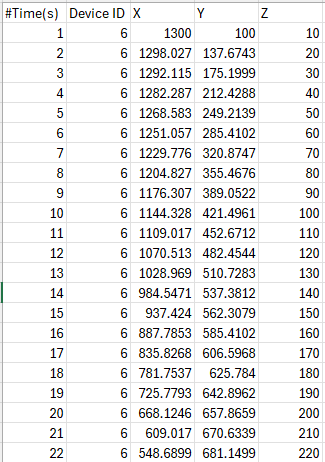
Both the Examples, UAV with MATLAB Flight path and UAV with File based Mobility can be found in the workspace shared
For v14.0
Download the modified workspace from here: https://github.com/NetSim-TETCOS/Accident_detection_and_Rerouting/archive/refs/heads/main.zip

For v14.1
Download the modified workspace from here: https://github.com/NetSim-TETCOS/Accident_Detection_and_Rerouting_v14_1/archive/refs/heads/main.zip
Please refer to the article for instructions on downloading and importing workspace into NetSim: https://support.tetcos.com/support/solutions/articles/14000128666-downloading-and-setting-up-netsim-file-exchange-projects
Analysis
In this example, we assume that the UAV has the capability to make rerouting decisions. During the simulation, we can observe network communication between vehicles and UAV, and then from the UAV to other vehicles. NetSim calls the appropriate SUMO API to reroute vehicles upon at the instant an alert message is received by the (non accident) vehicles from the UAV.
The modifications needed for SUMO to reroute vehicles upon receiving a command from NetSim after detecting an accident have been made in SumoRun.py, located in the bin_x64 directory of the imported workspace.
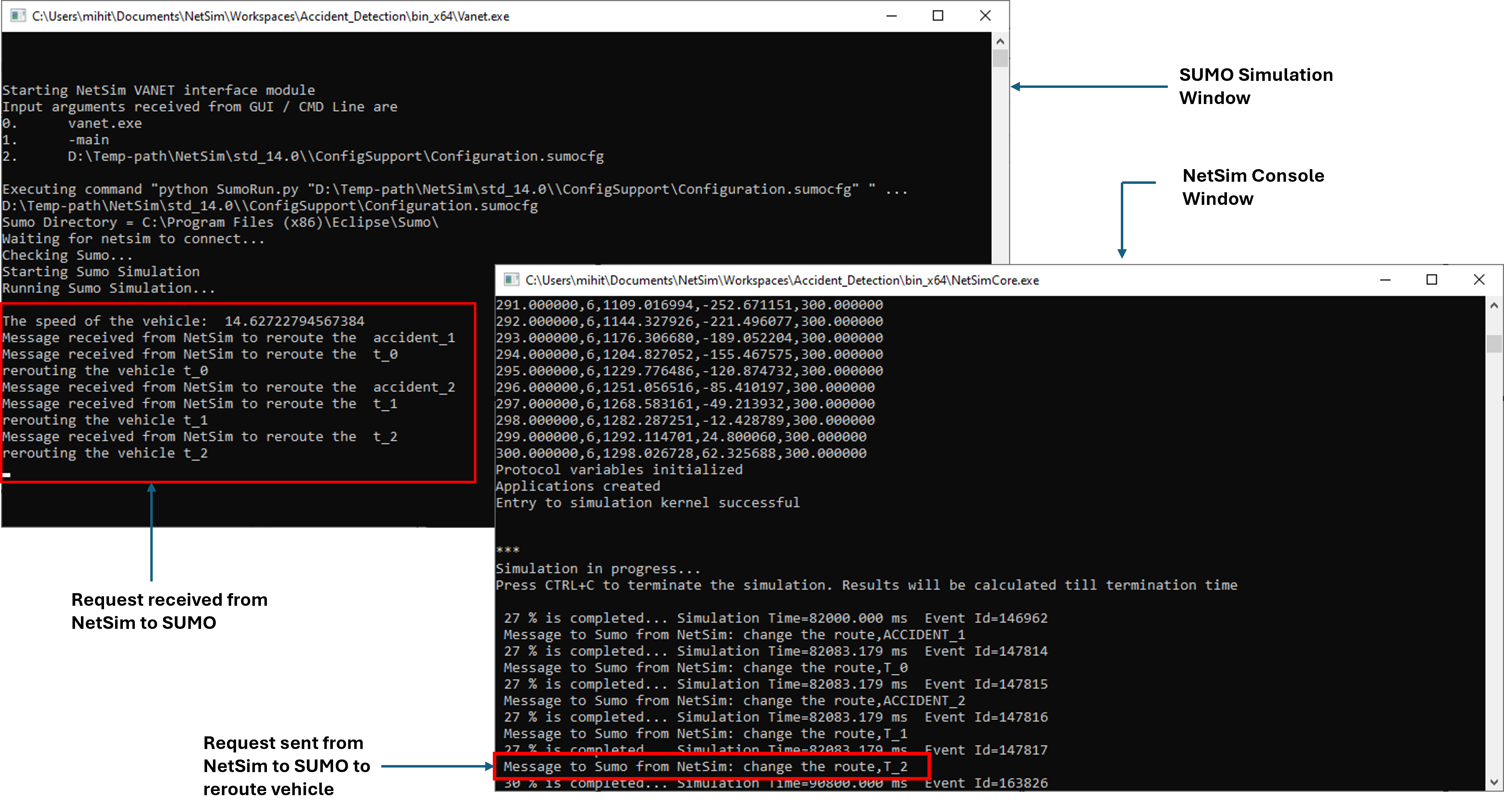
The same can be observed in SUMO i.e., the vehicles getting rerouted after receiving the alert message from the UAV as shown below:

On going research
Research areas related to drones in VANETs, and accident management include:
- Detection and prevention of accidents before they occur.
- Integration of AI and machine learning to enhance accident prediction and response, enabling drones to optimize traffic management strategies based on historical data and real-time observations.
- Providing emergency response to vehicles, such as ambulances, by guiding them to the accident-prone area through the fastest route.
Website
- NetSim VANET Library: https://tetcos.com/vanets.html